One system for your whole school, from classroom to bank.
Admissions, attendance, timetables, exams with OMR scanning, fees, HR and payroll, a daily diary with homework hand-in, a ready-made website and a mobile app. Switch on only the modules you need.
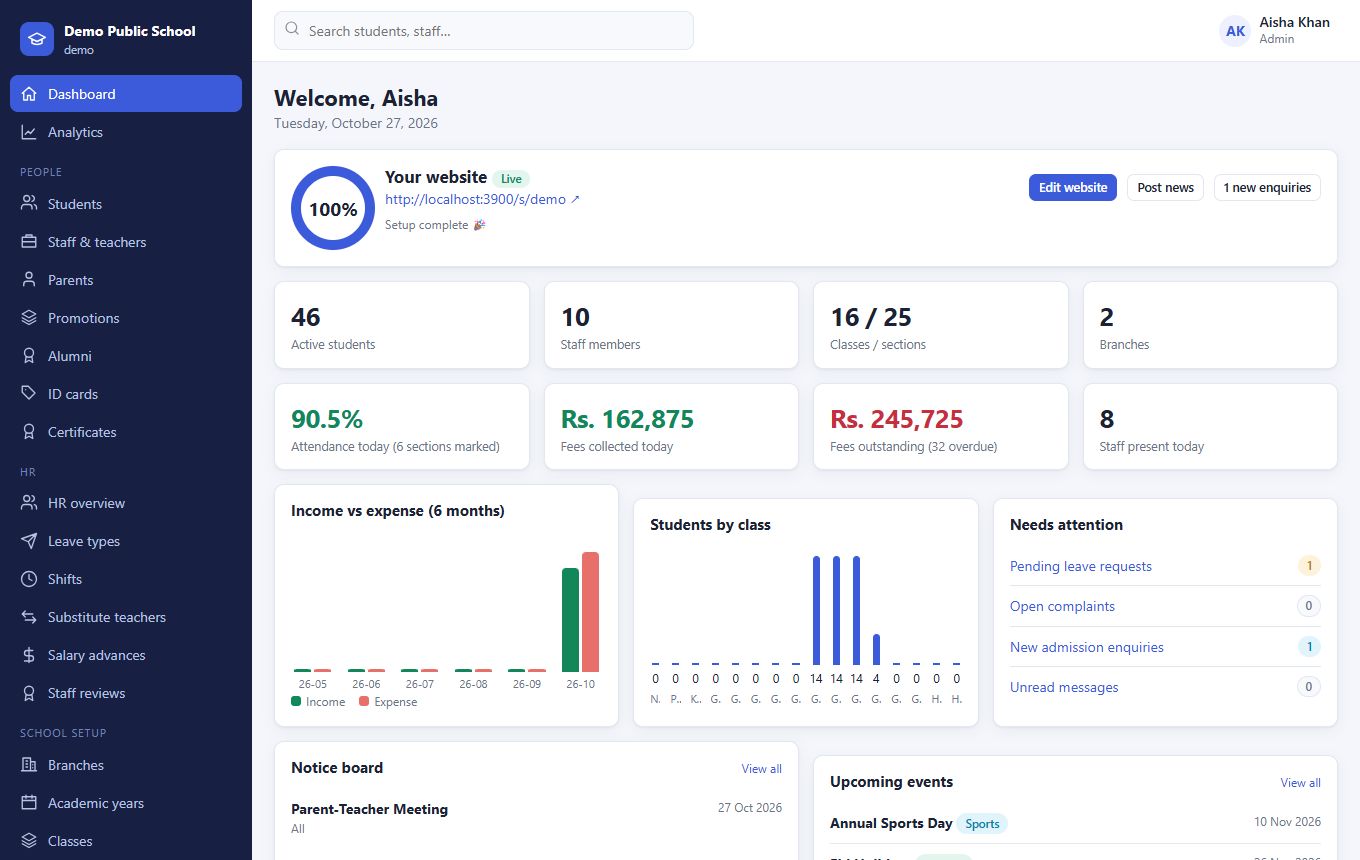
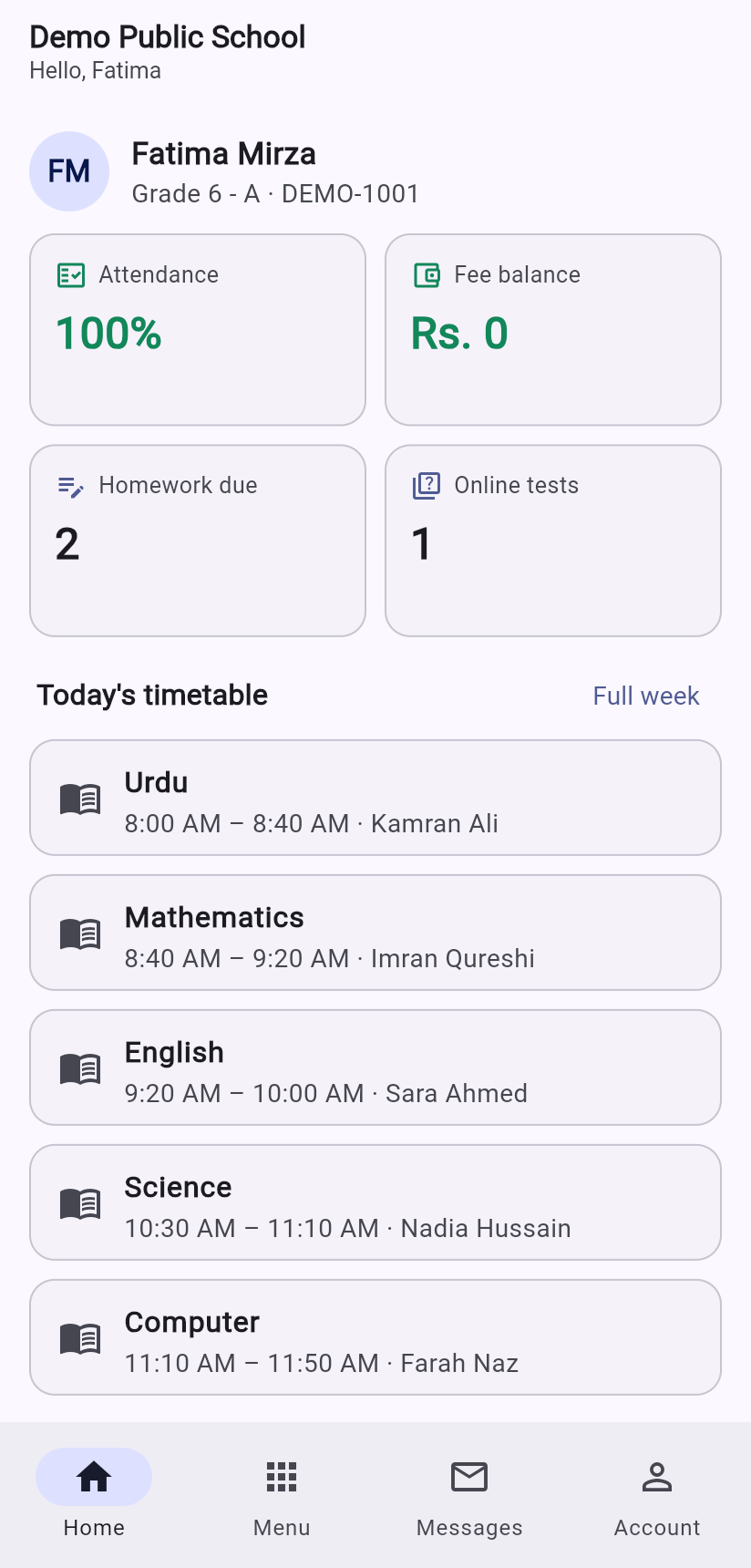
Stop juggling registers, Excel sheets and five different apps.
Taleem 360 covers the daily work of every department, so information is entered once and flows everywhere it is needed.
Students & staff
Admissions, profiles with photos, parent logins, promotions between classes, alumni records and certificates.
Attendance, even by scanning
Mark a class in seconds, or scan student ID-card QR codes with a phone. Staff check in too, with late arrivals caught automatically.
Timetables without clashes
Build by hand or auto-generate. A teacher or room can never be in two places at once, and substitutes are arranged when someone is away.
Exams, results & report cards
Date sheets, seating, marks, grades, positions and report cards with photo, QR and teacher and principal comments. Or simply upload results by hand.
MCQ tests & OMR bubble sheets
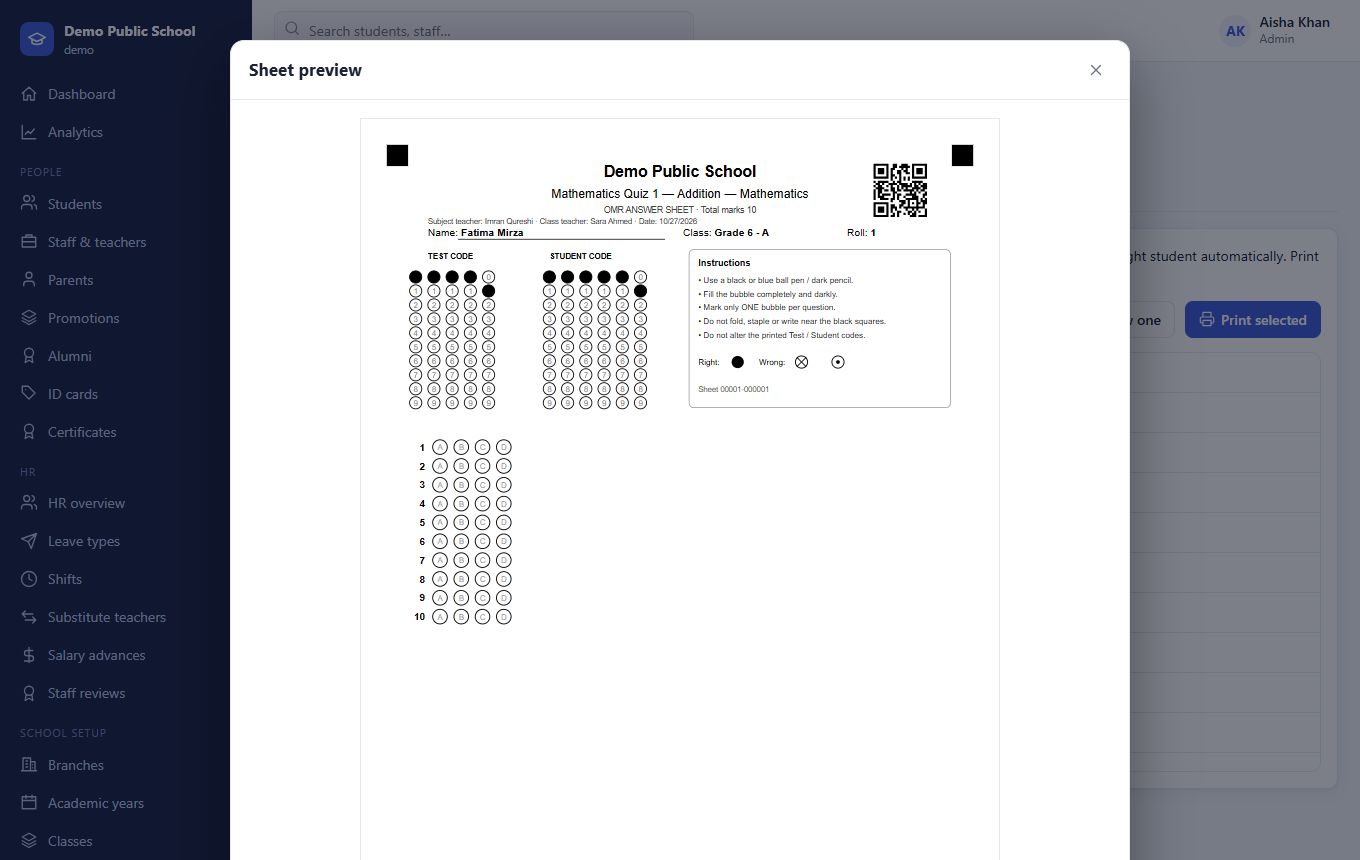
Teachers add questions; students sit online or on printed answer sheets that the system scans and grades.
Daily diary & homework
Teachers share notes and worksheets, students hand in a photo of their work, parents sign the diary. The whole loop in one place.
Fees, vouchers & discounts
Class-wise fees, admission fee, custom fees, needy-student discounts, receipts, fines and defaulter lists.
Payroll, bank & accounts
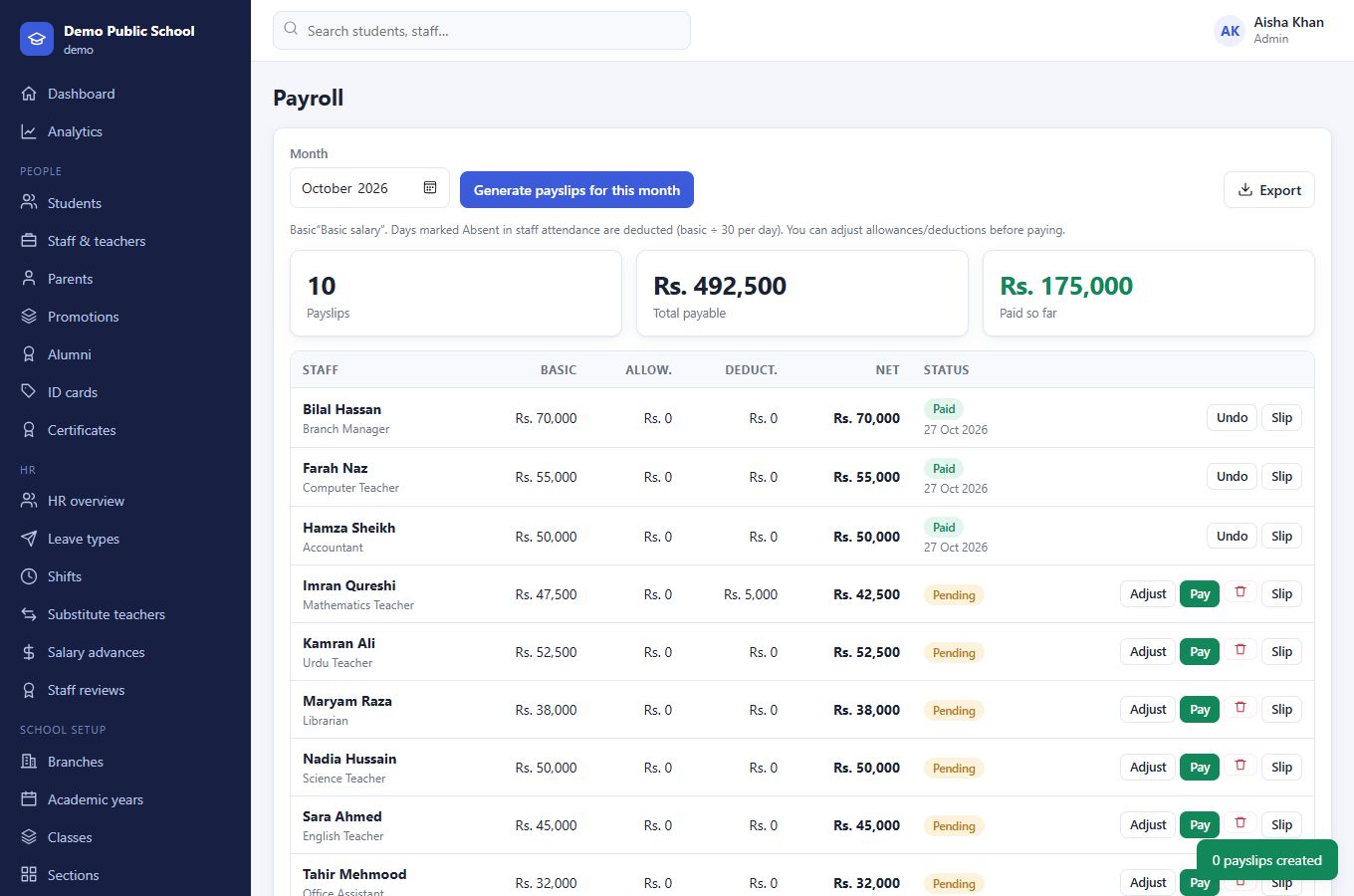
Salary slips that explain every deduction, advances recovered in instalments, bank ledgers, income and expenses.
HR in one view
Leave types with yearly balances, shifts and late rules, staff documents with expiry alerts, reviews and substitute teachers.
Principal's analytics
Attendance, fee recovery, results and admissions over time, by class, with the students and fees that need attention first.
ID cards you can verify
Front and back printing. Anyone can scan the QR on a card, report card or certificate to confirm it is genuine.
Library, transport & hostel
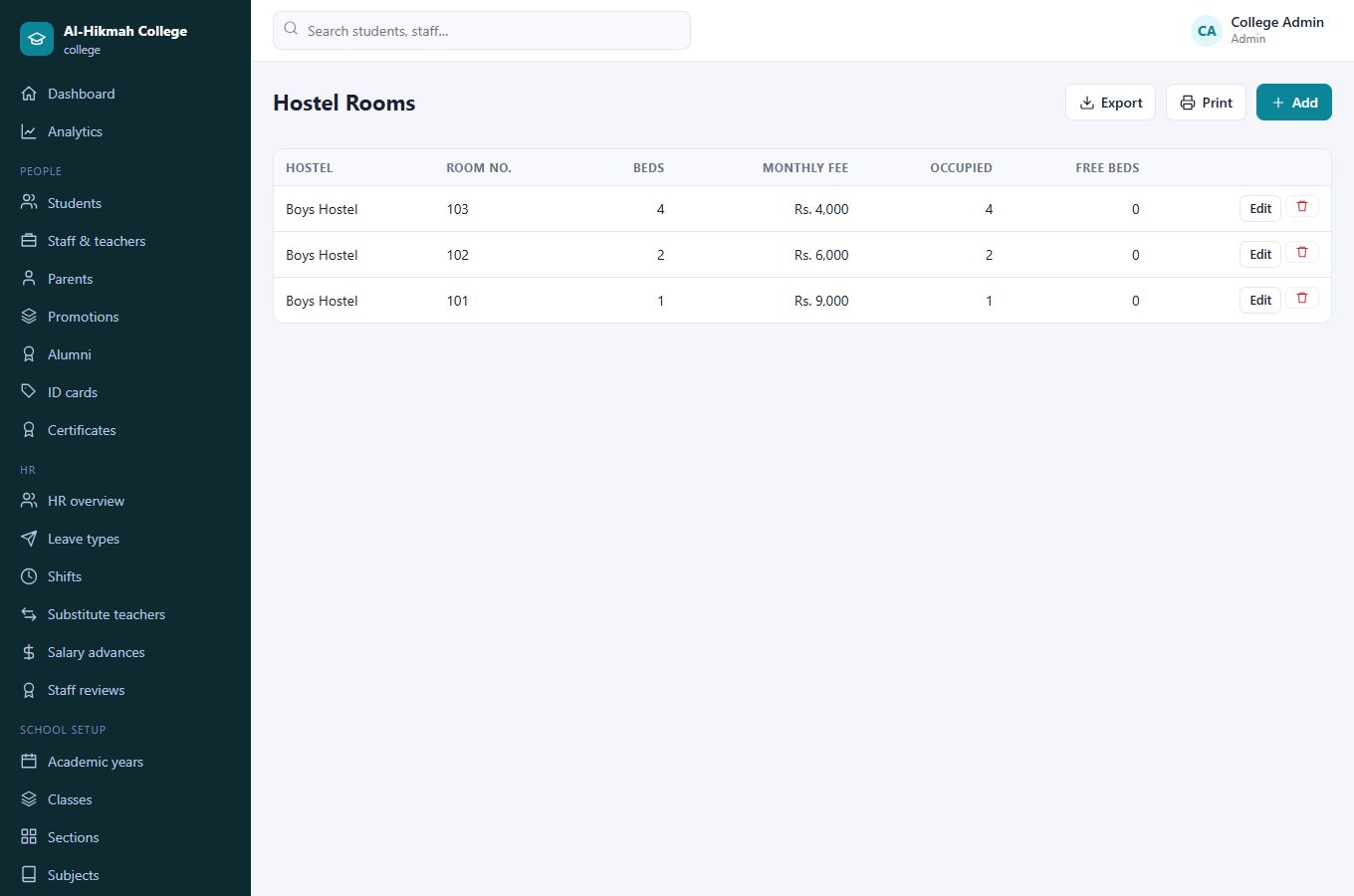
Books with fines, vehicles and routes, hostel rooms with a bed count so a room never takes more students than it has beds.
Classroom chat & messages
Share links and materials with a class, and message staff, parents and students inside the system.
A website for your school
A professional public website is created with your school, with admissions form, news and events built in.
Many branches, one account
Run several campuses together, with branch managers who see only their own branch. Single-campus schools never see branch screens.
Print answer sheets. Scan them with a phone. Done.
Each student gets a personal OMR sheet with their name, class, teacher names and a QR code already printed. After the test, a teacher photographs the sheets and the system reads every bubble, matches the student and calculates the marks.
- Works with a normal printer and plain A4 paper
- Reads tilted, shaded and even upside-down photos
- Student matched automatically from the printed code
- Online MCQ tests with timer, auto-save and instant results
- Random exam numbers for blind marking
Report cards parents can trust.
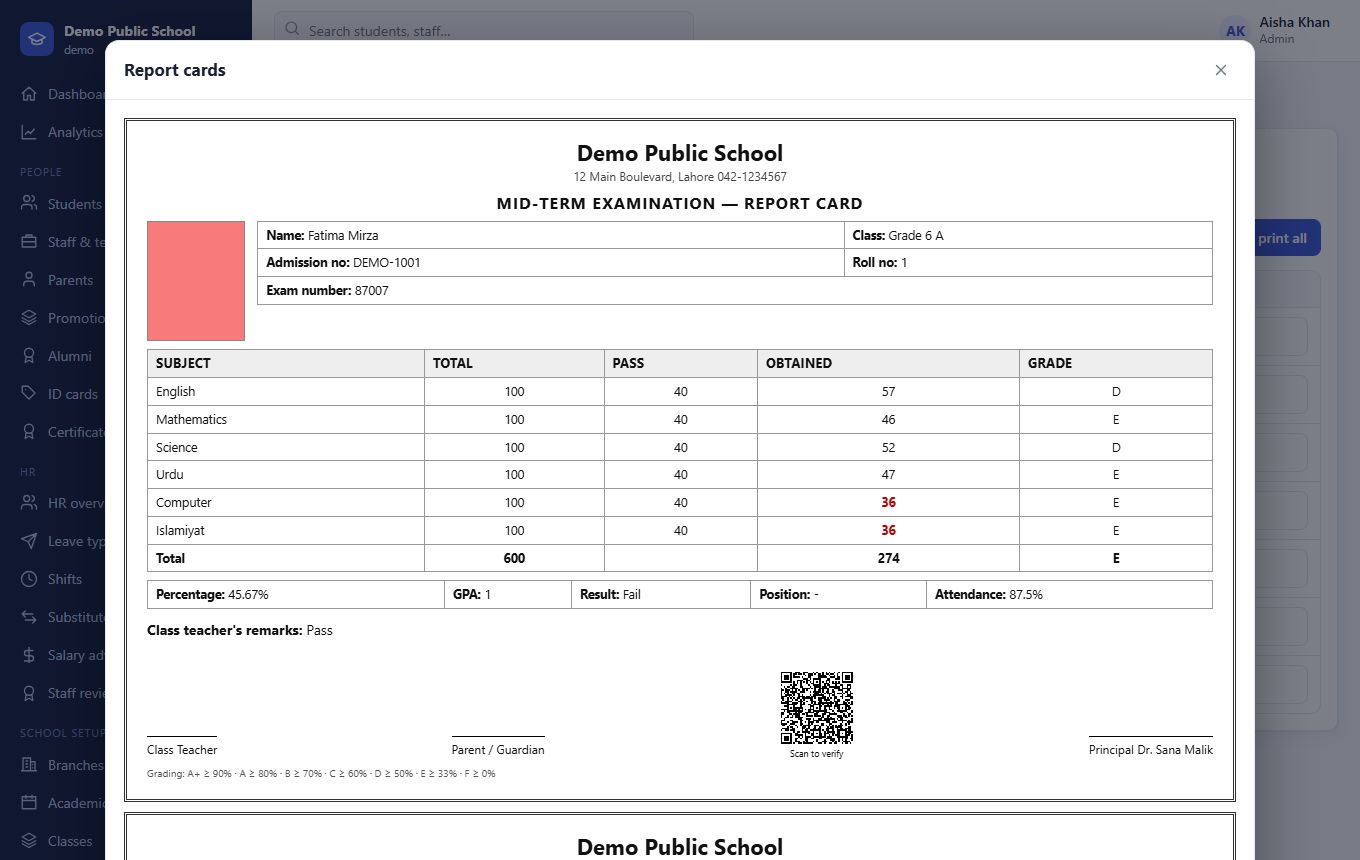
Marks flow into grades, GPA, positions and attendance. Every report card carries the student's photo, a random exam number and a verification QR code, plus comments from the class teacher and the principal.
- Custom grading scale per school
- Teacher remark with quick phrases, conduct grade, principal's remark
- Seating plans and roll-number slips
- Prefer no exam system? Upload each student's result by hand instead
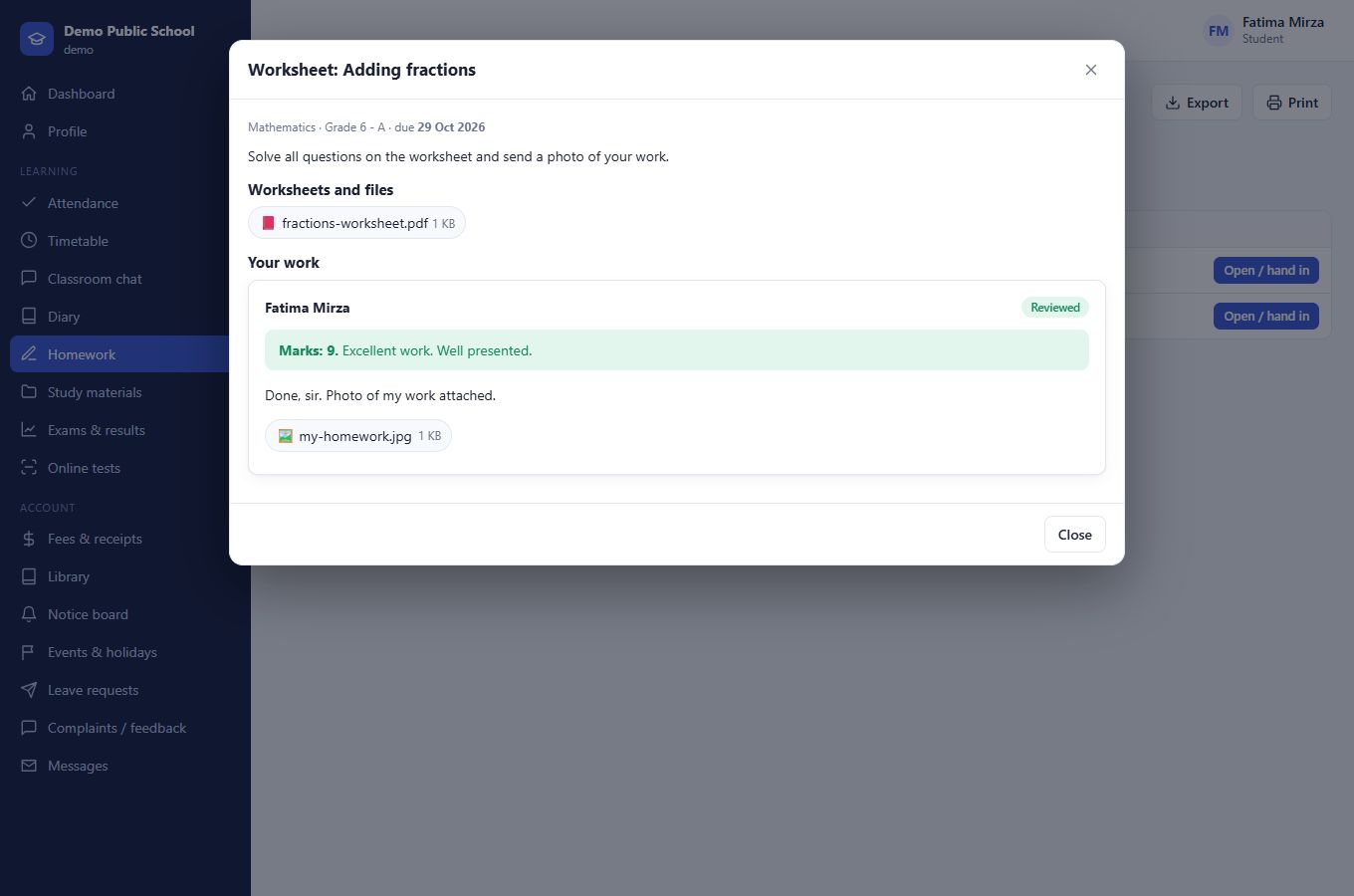
Homework and the diary, without the paper chase.
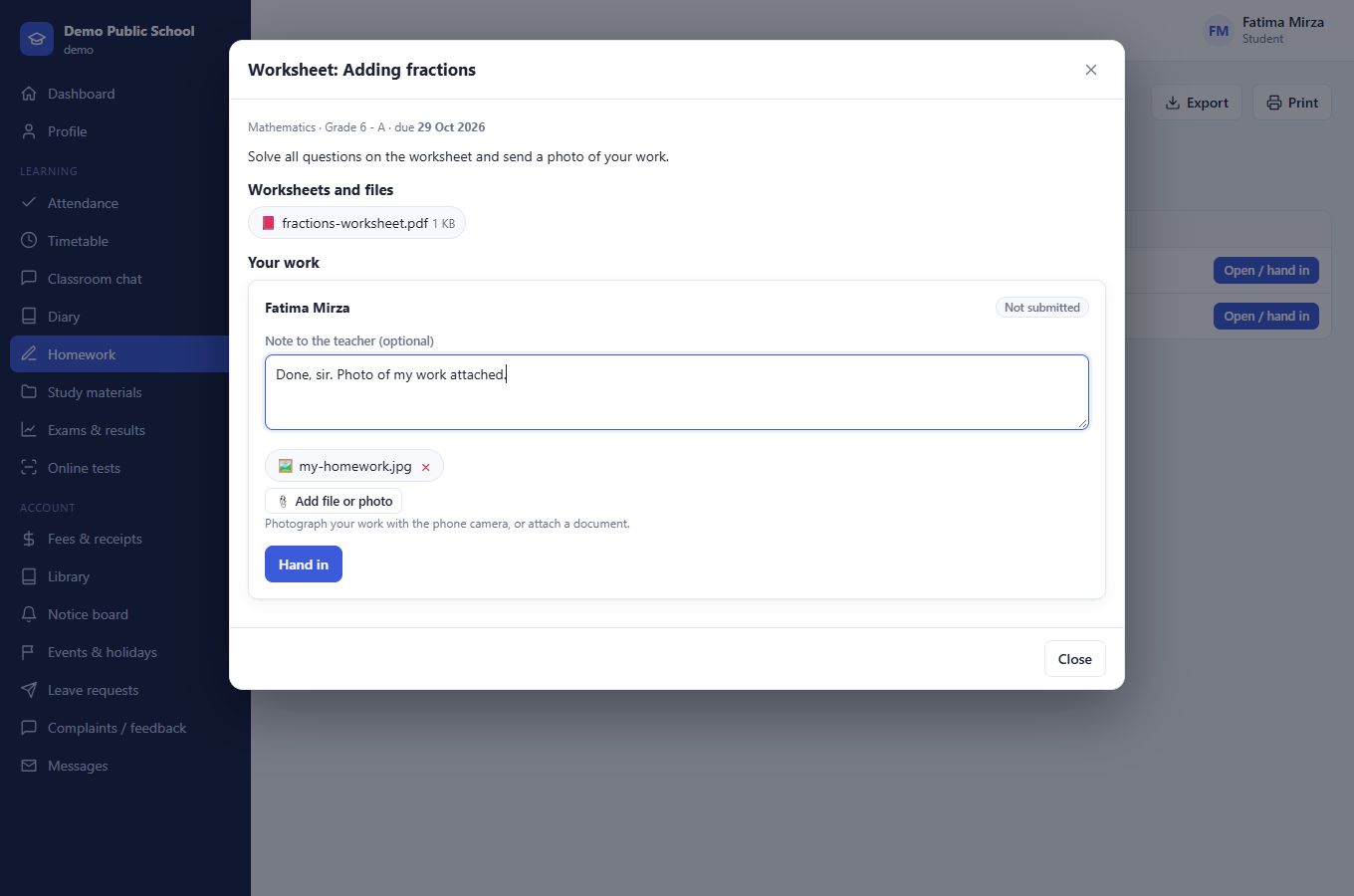
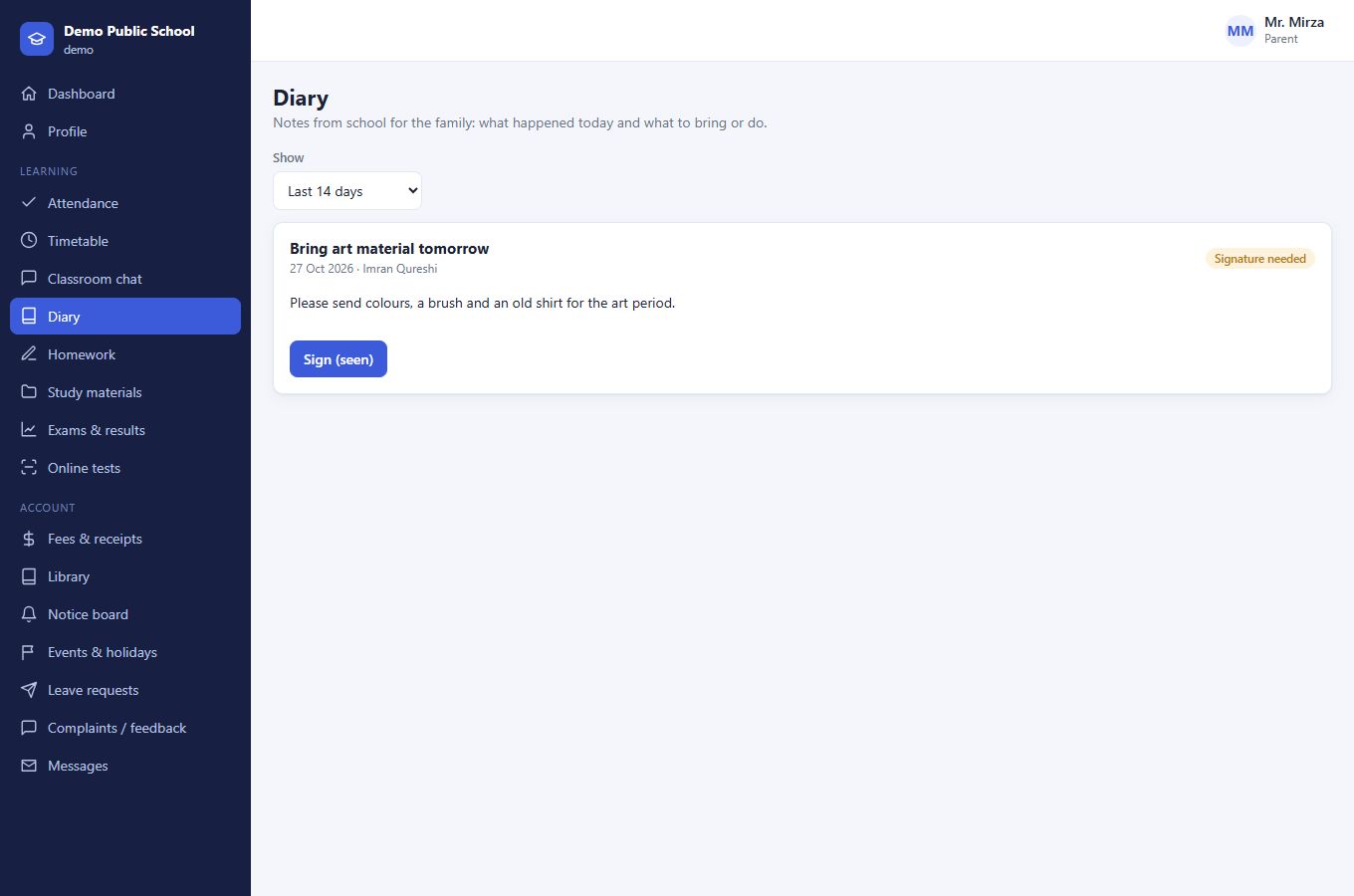
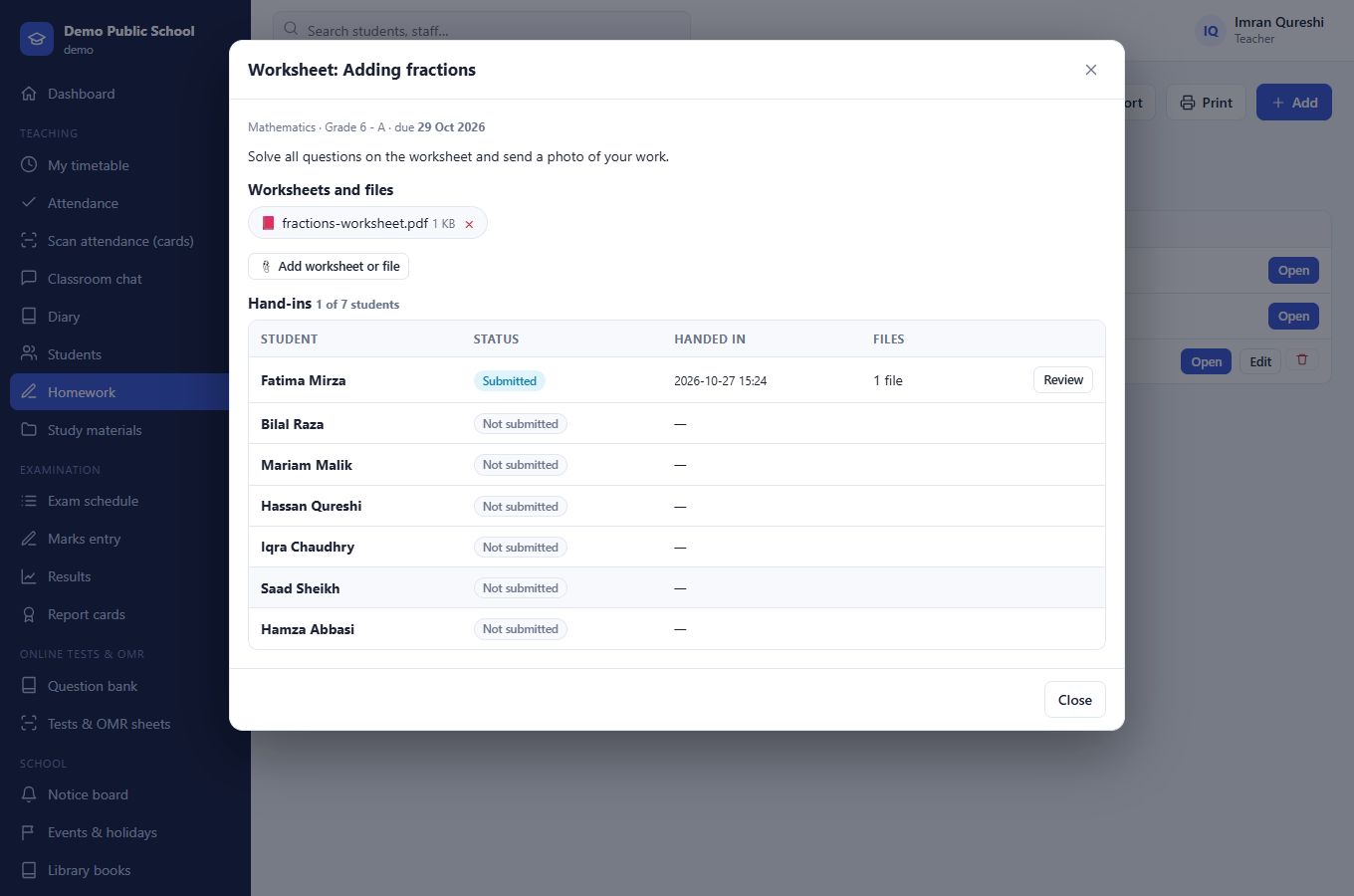
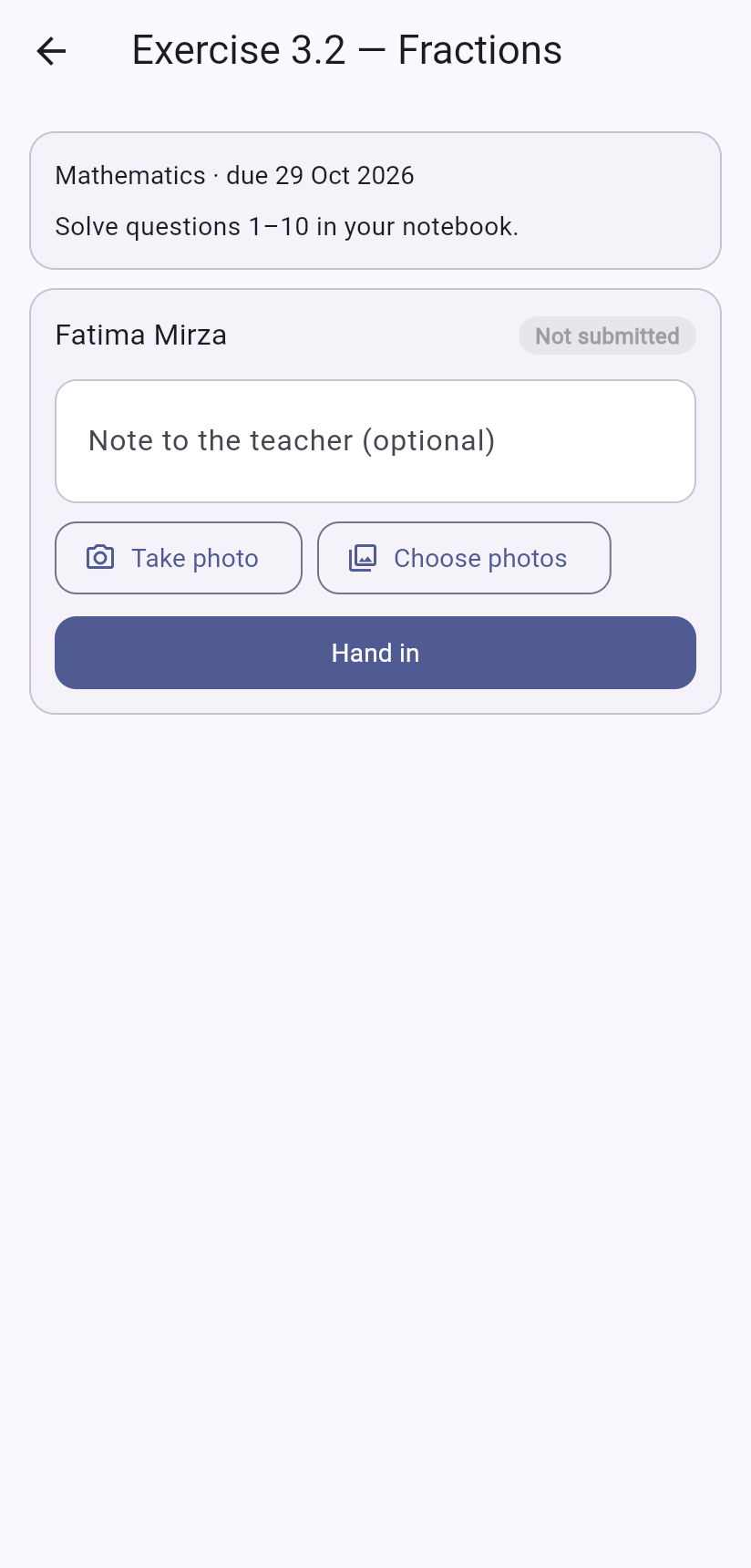
A teacher posts homework with a worksheet. The student photographs their work and hands it in from a phone. The teacher reviews it with marks and feedback. Meanwhile the diary tells parents what to bring or do, and they sign it with one tap.
- Worksheets and files attached to homework, diary entries and study materials
- Photo hand-in from the phone camera; late work is flagged
- Marks and feedback, or send the work back to redo
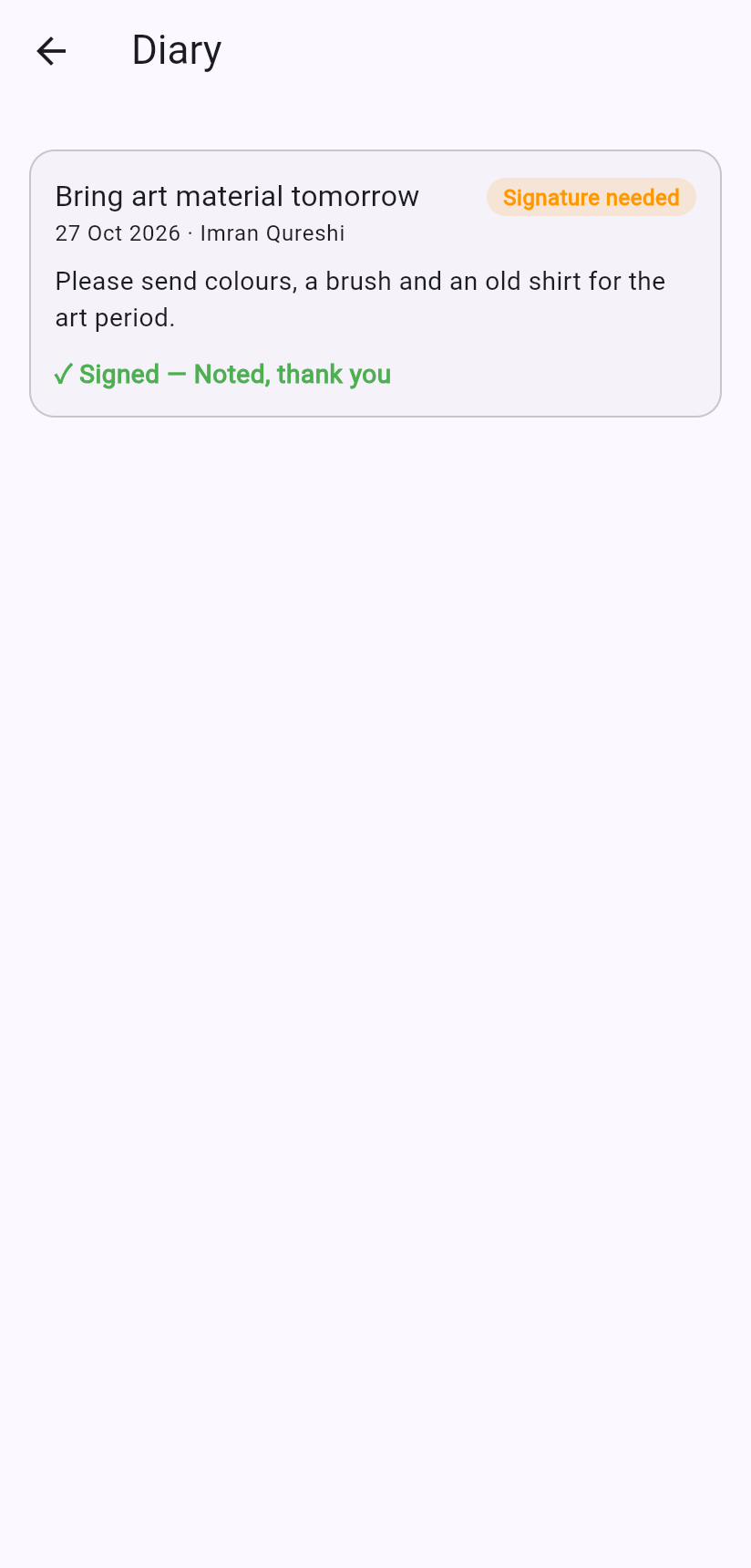
- Diary notes for a whole class or a single child, with parent signatures
Fees that match how your school really charges.
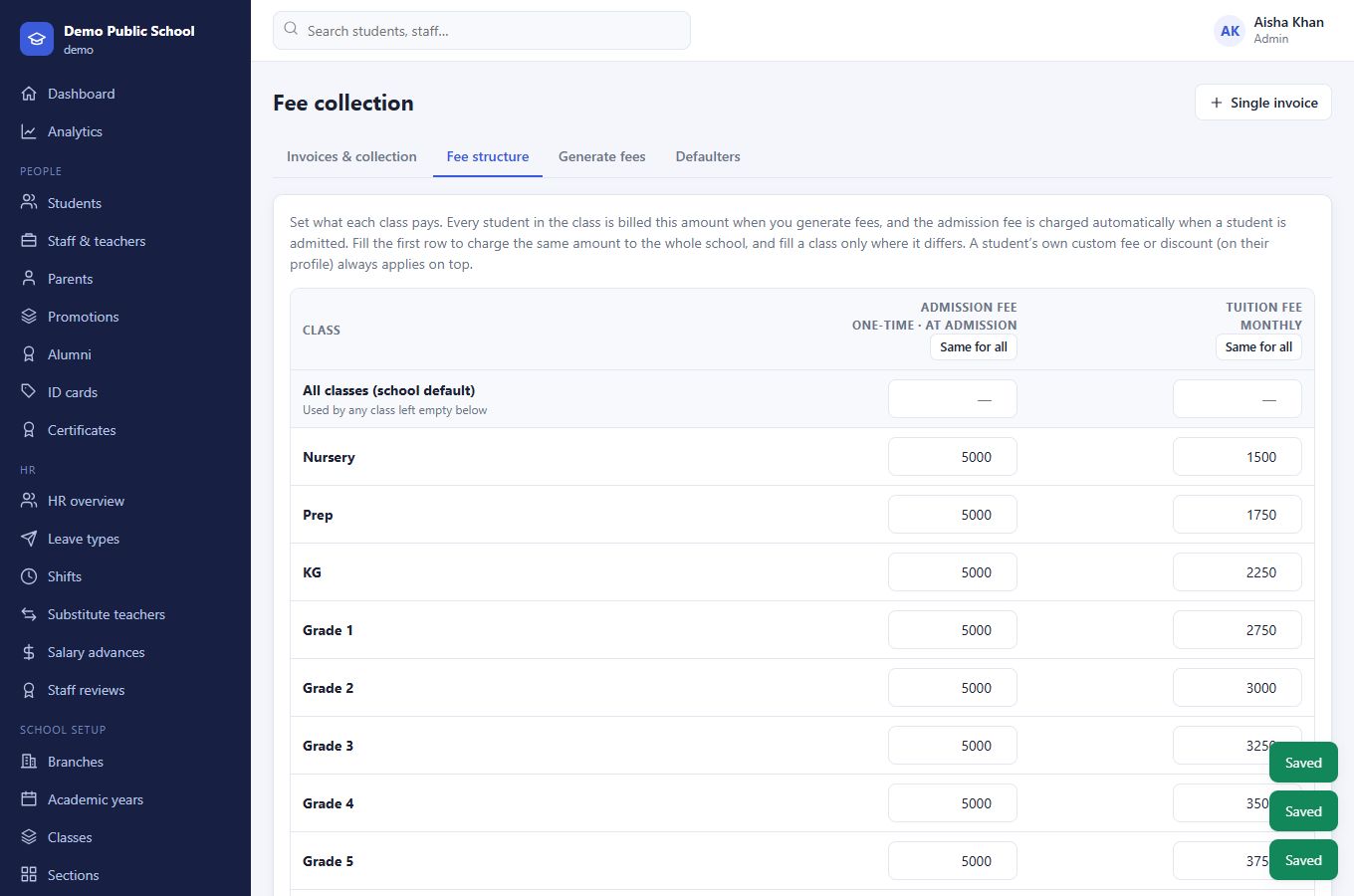
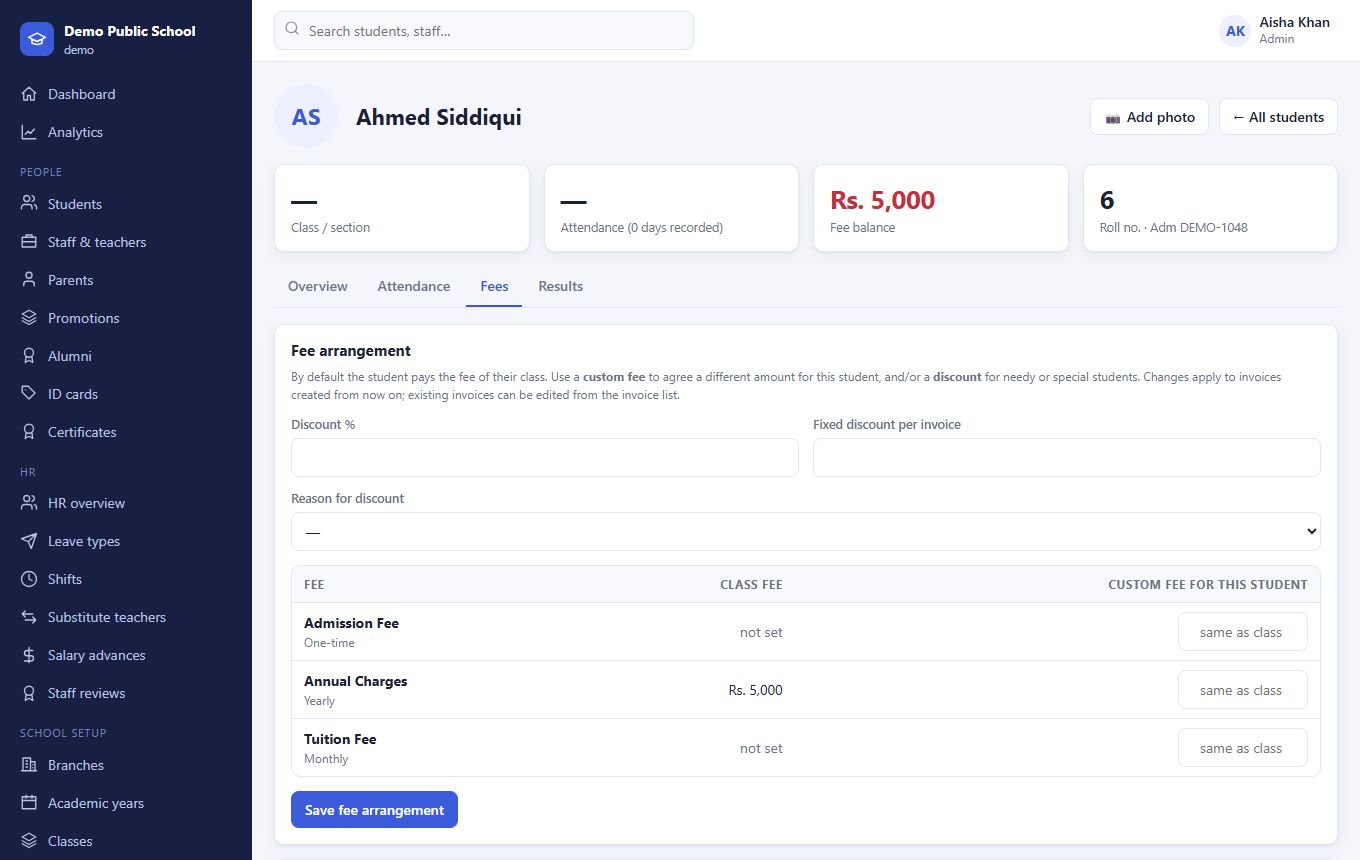
Set one fee for the whole school, a different fee for each class, or a special arrangement for a single student. Needy and scholarship students get discounts without you editing a single invoice by hand.
- Admission fee charged automatically when a student is admitted
- Tuition by class, with a school-wide default
- Percentage or fixed discounts with a reason (needy, sibling, staff child…)
- Fee vouchers with consumer numbers, ready for 1Bill
- Receipts, fines, defaulter lists and bank ledger
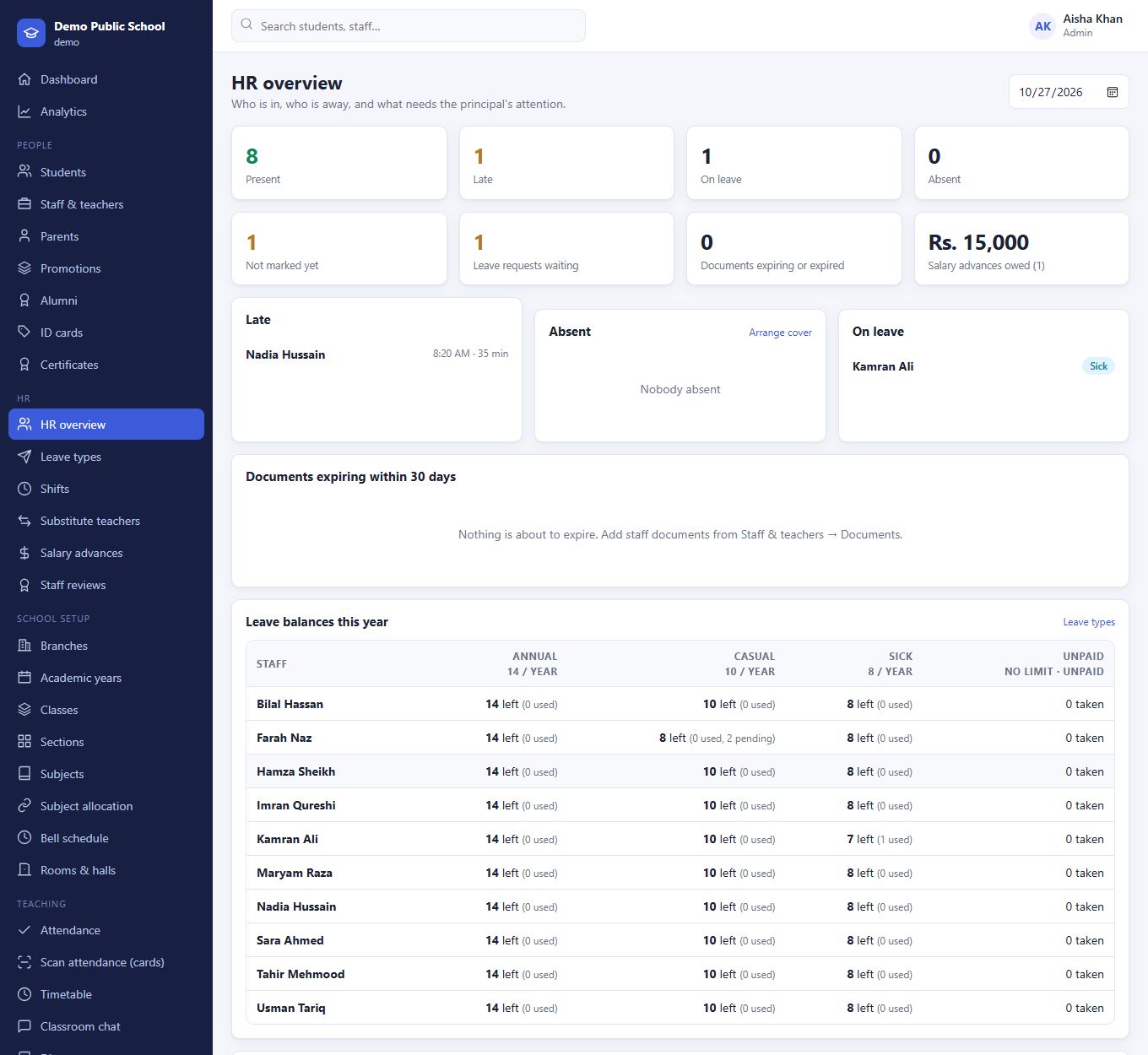
HR that ties attendance, leave and salary together.
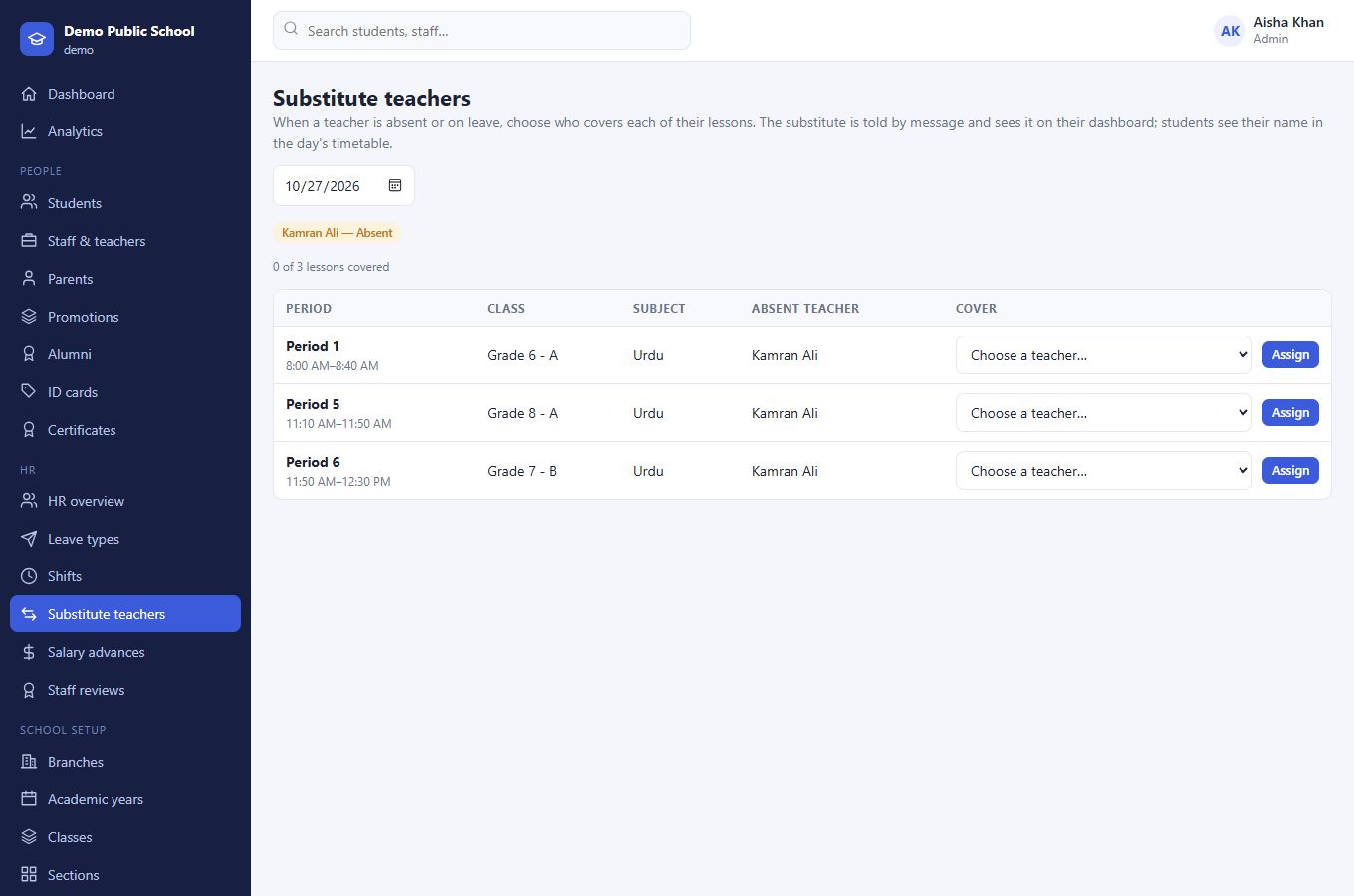
The principal sees who is in, who is late and who is away. Leave comes with yearly balances, lateness follows each person's shift, and the salary slip shows exactly why anything was deducted. When a teacher is absent, cover is arranged in a click.
- Leave types (casual, sick, unpaid…) with yearly allowances and balances
- Shifts with a grace period; late arrivals marked automatically
- Absences, unpaid leave, repeated lateness and advance instalments flow into payroll
- Staff documents with expiry alerts; performance reviews
- Substitute teachers, told by message and shown in the timetable
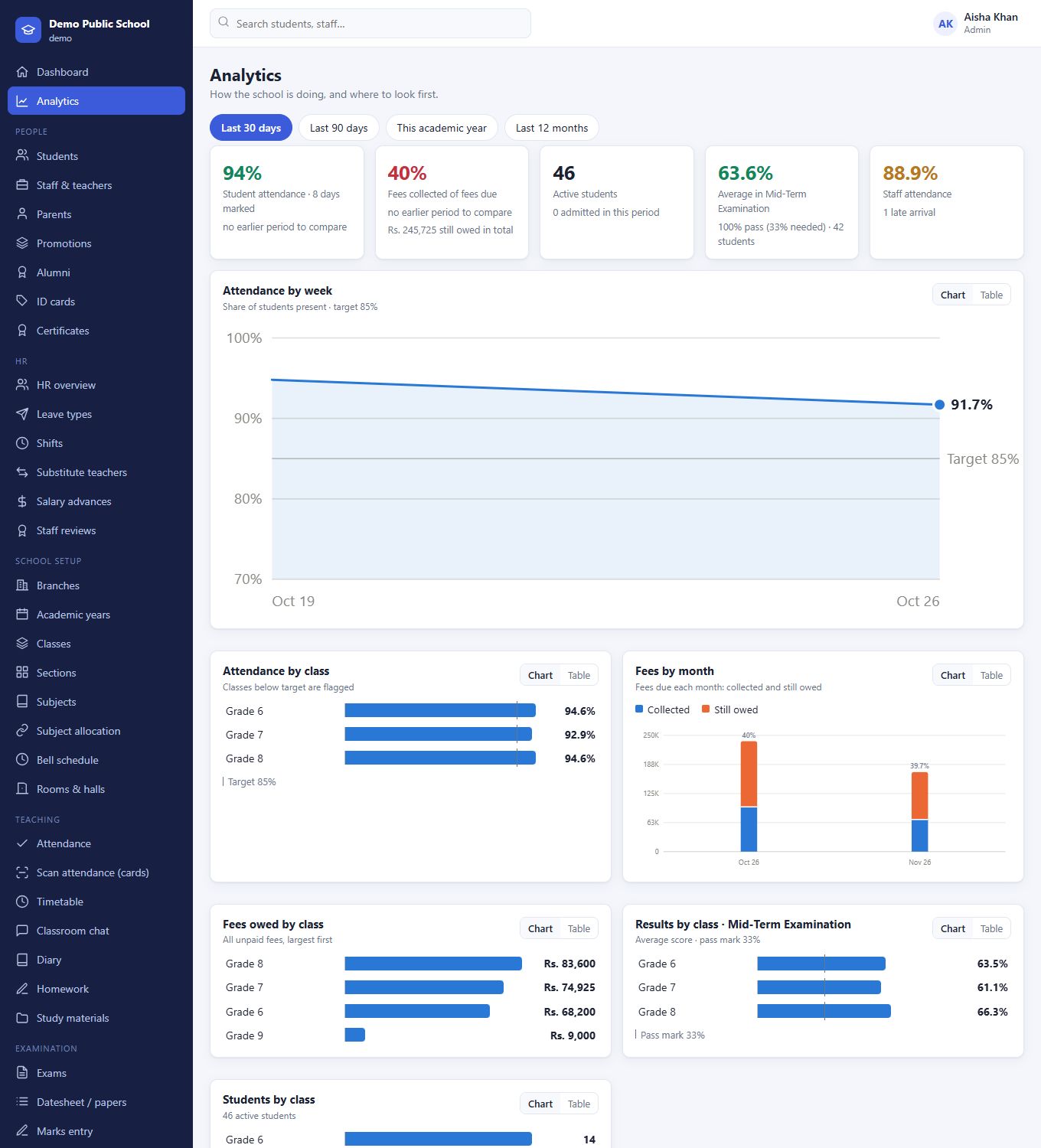
See how the school is doing, and where to look first.
Attendance, fee recovery, results and admissions, compared with the period before, broken down by class. Classes below target are flagged, and the students and fees that need follow-up are listed, linked to their records.
- Last 30 days, 90 days, this academic year or 12 months
- Every chart also available as a table
- Works in dark mode and on a phone
- Only shows the modules your school uses
Pay only for what you need.
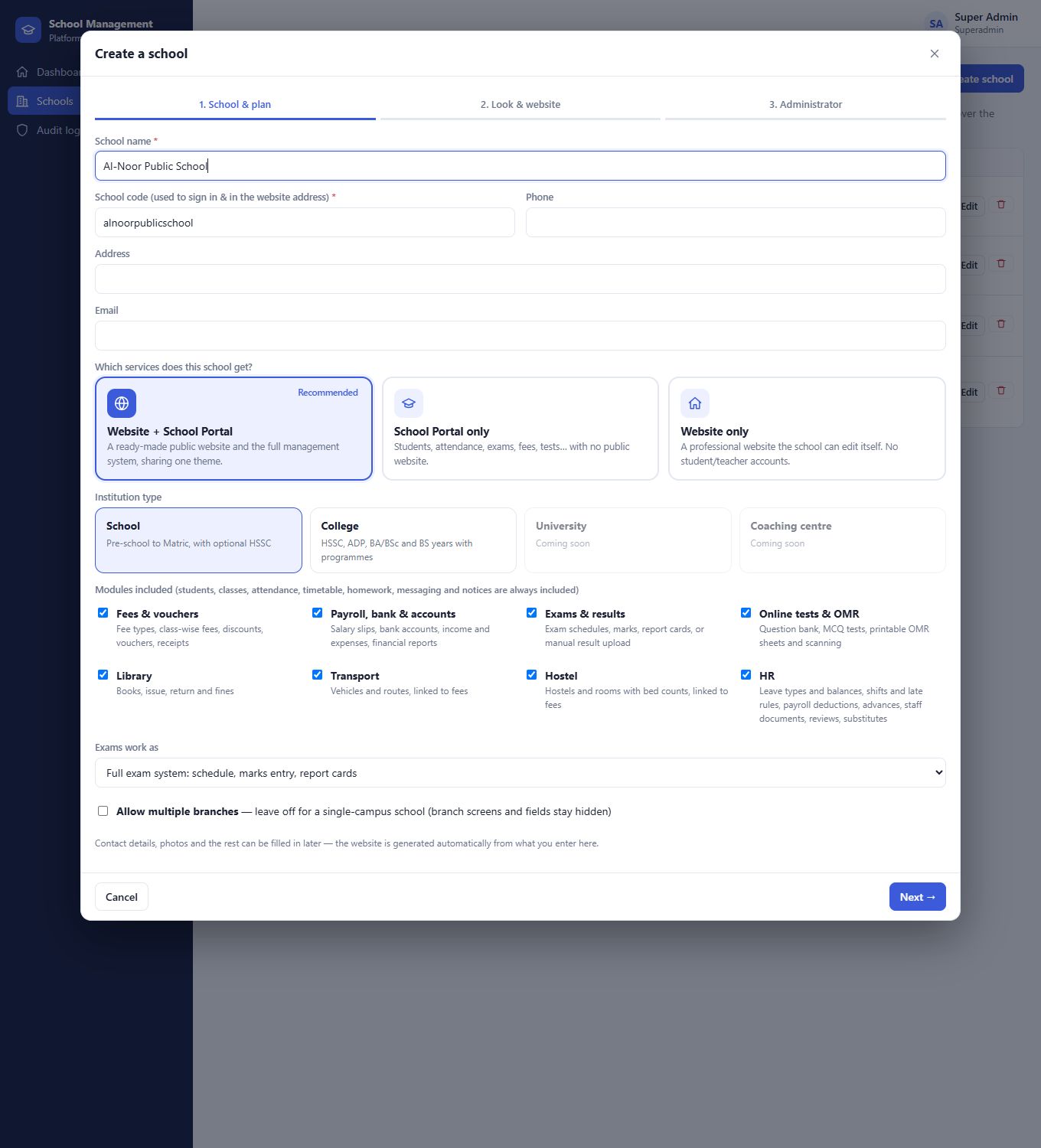
Students, classes, attendance, timetable, homework, messaging and notices are always included. On top of that, you choose the modules each school or college gets, so a small school isn't paying for a hostel system it will never use.
Start from a type, then adjust.
When a school is created, pick its type, the plan (website only, portal only or both), whether it may have several branches, and which modules it gets. Change any of it later as the school grows or the subscription changes.
Built for HSSC, ADP, BA/BSc and BS years too.
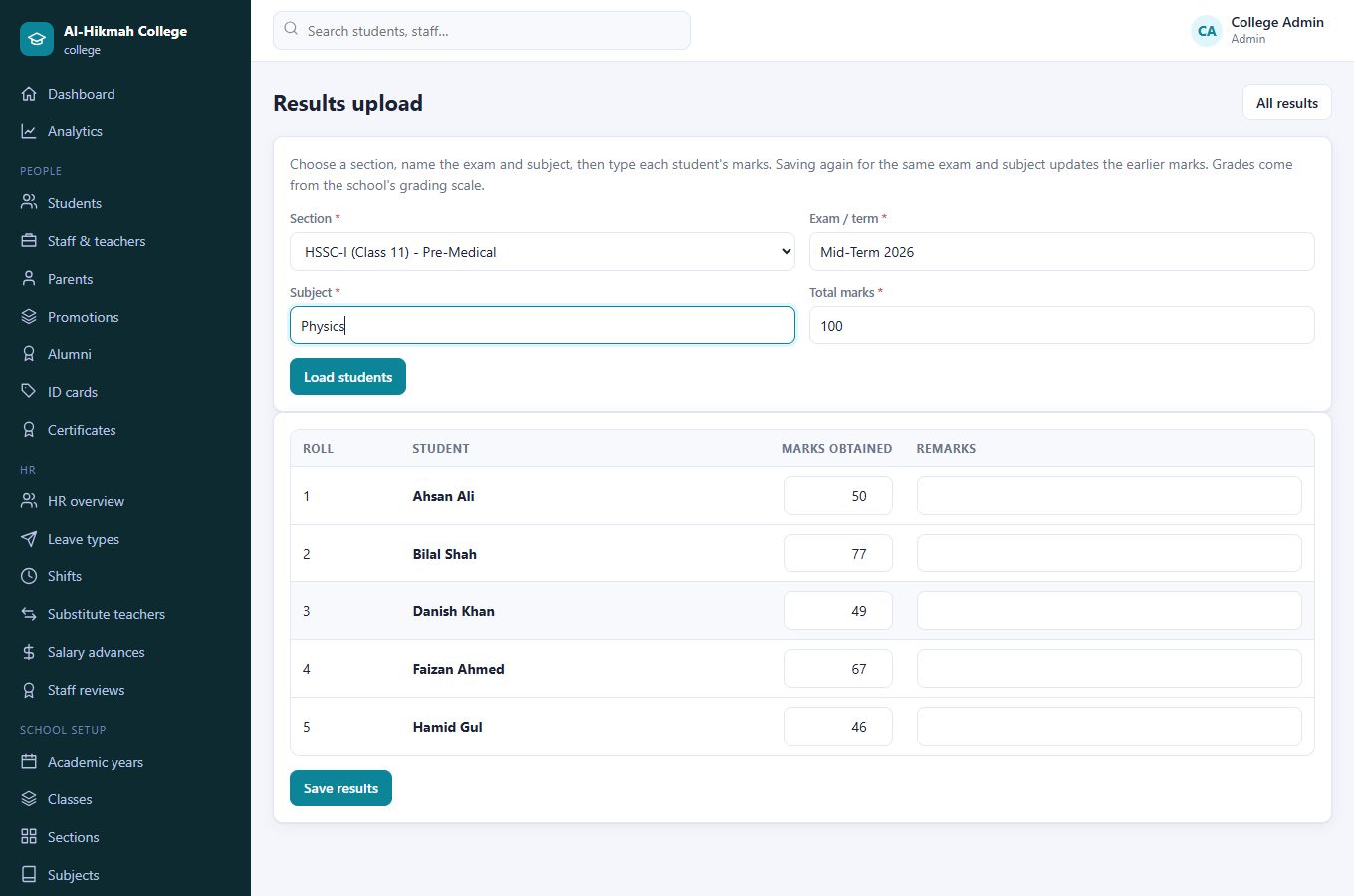
A college gets one-hour lectures, quick setup for intermediate and degree programmes with their streams, hostel rooms with the right number of beds, and the option to upload each student's results without running a full exam system.
- HSSC-I and II with Pre-Medical, Pre-Engineering, ICS, I.Com and F.A
- Degree years with programme or department sections
- Hostel rooms of 1, 2 or 4 beds, with free beds shown
- Library and transport switched off if the college doesn't need them
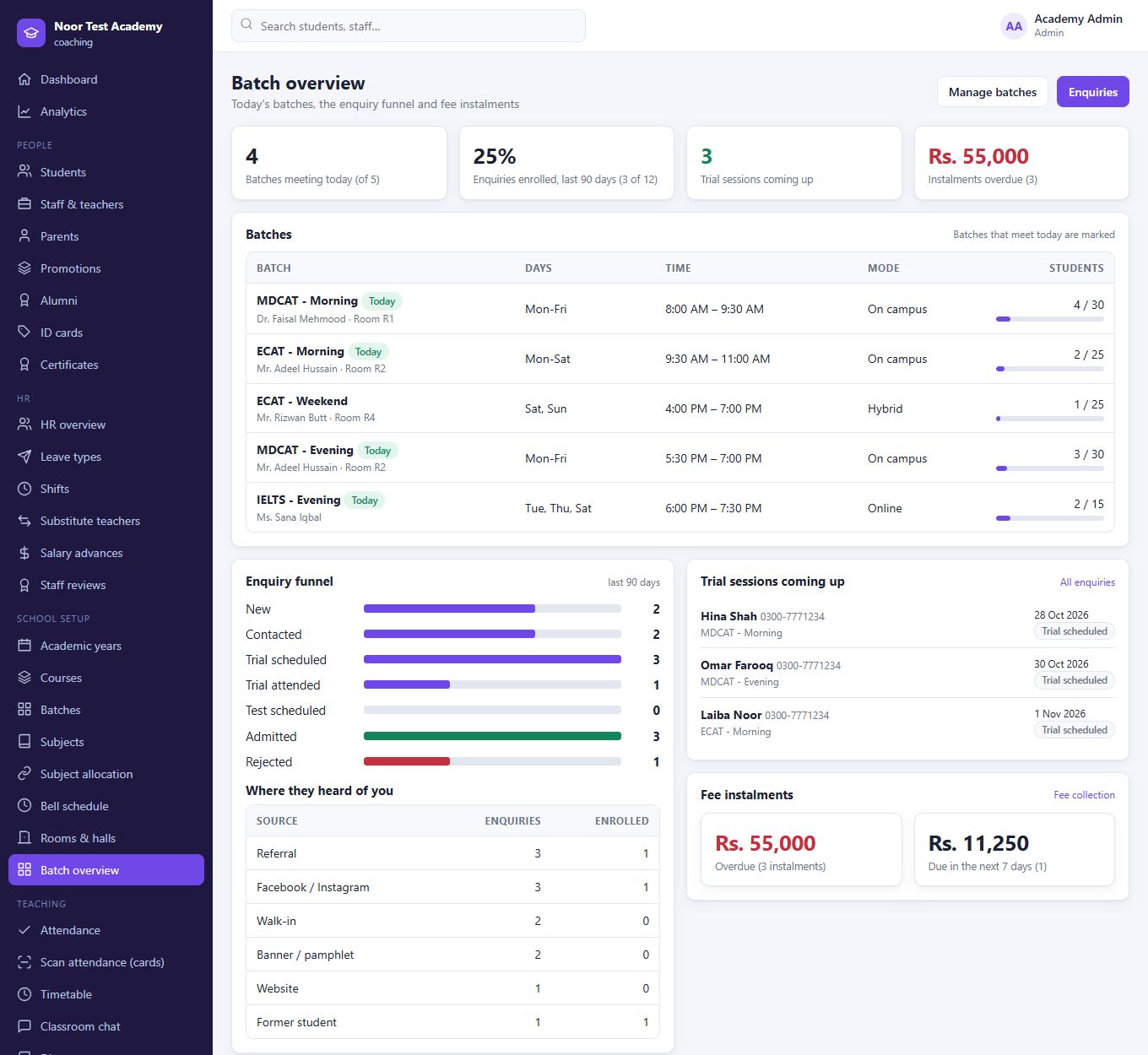
Courses, batches and a funnel from enquiry to enrolment.
MDCAT, ECAT, O/A Level, IELTS, tuition: Taleem 360 speaks in courses and batches, with morning and evening timings, and shows the principal who meets today, how many seats are left, and how many enquiries become students.
- Batches with days, timing, mode (campus, online, hybrid), teacher and seat count
- Enquiries from the website and walk-ins, with the source recorded and a trial session booked
- Funnel: new, contacted, trial, enrolled, with conversion and the source that works best
- Quick setup for common courses, with Morning and Evening batches in one click
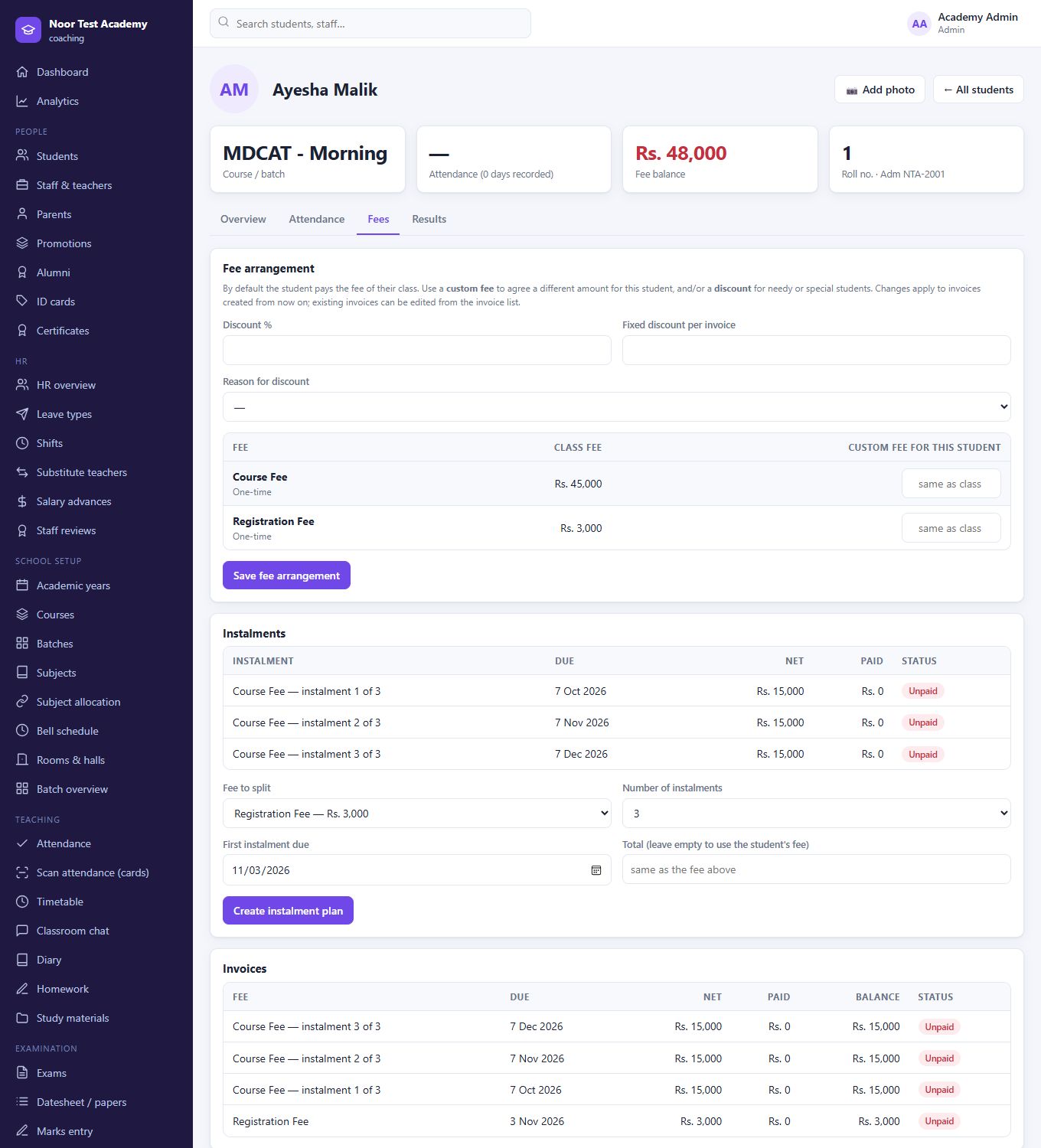
Course fees in instalments, discounts for scholars.
Set the course fee once. When a family pays in parts, split it into equal monthly instalments in two clicks; each instalment is its own voucher with its own due date. Merit scholarships and needy discounts apply to the total.
- Registration fee charged automatically at enrolment
- 2 to 12 instalments, due the same day each month
- Overdue and due-this-week instalments on the principal's dashboard
- Vouchers and receipts like any other fee
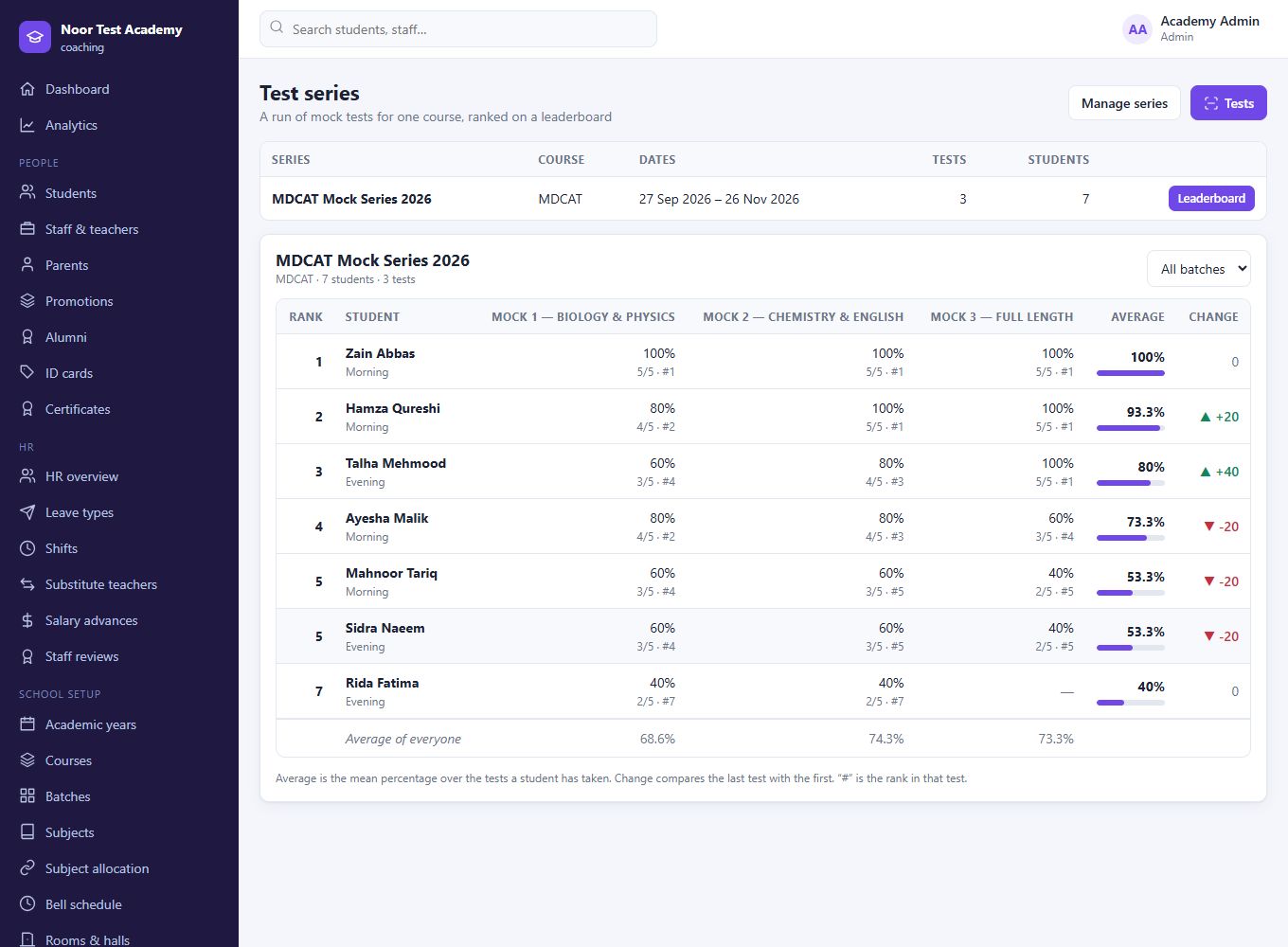
Mock-test series with a leaderboard.
Group tests into a series for a course. After each mock, students see how they scored and ranked, and whether they are improving. Teachers see every student's trend and the average of the whole batch, from online tests or scanned OMR sheets.
- Rank per test and overall, with the change from first to latest
- Students see the top ten and their own row; staff see everyone
- Filter by batch; absentees are shown honestly
- On the mobile app too
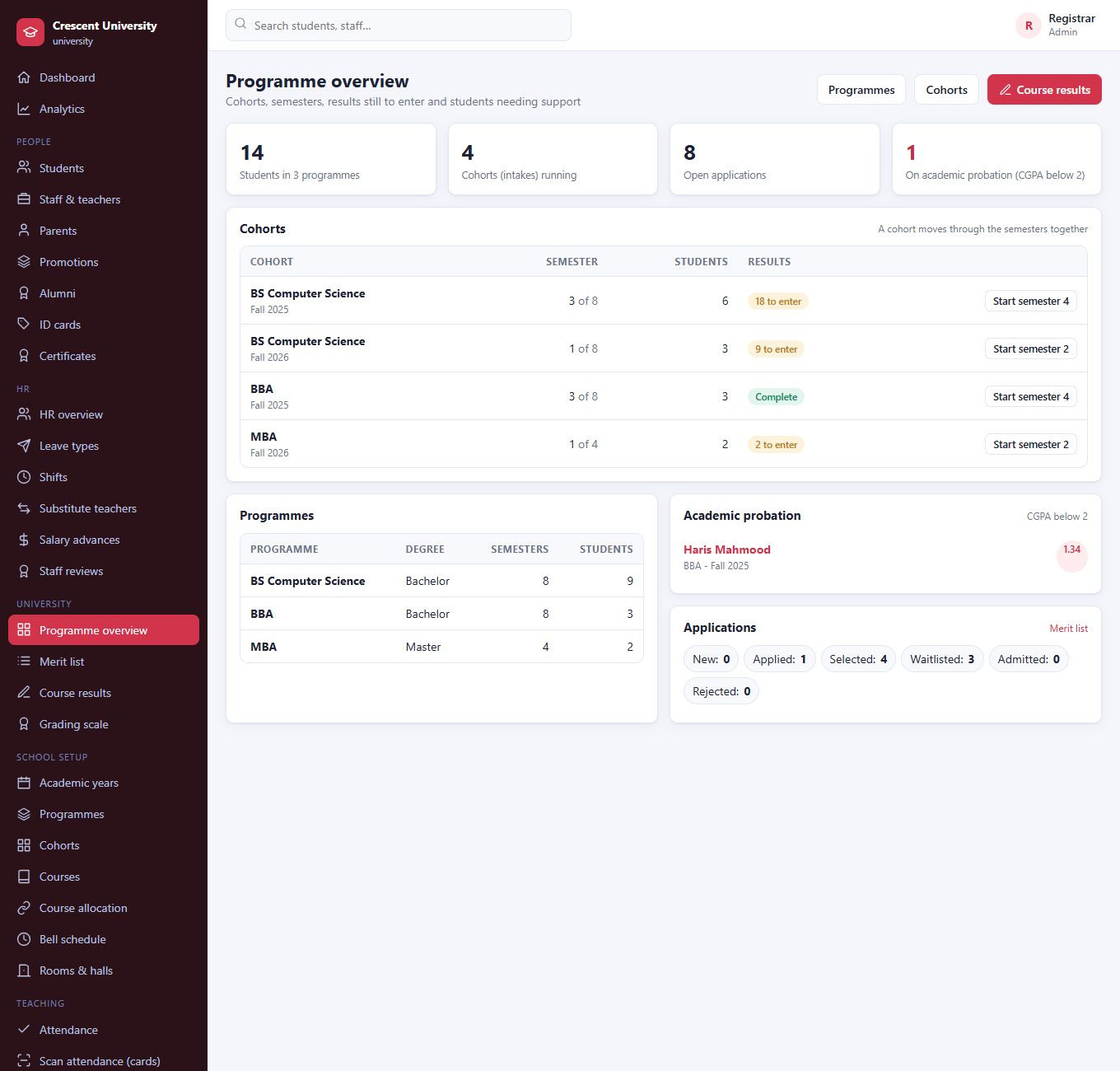
Programmes, semesters and credit hours, with GPA built in.
Define programmes with their number of semesters, run each intake as a cohort that moves through the semesters together, and give every course its credit hours. Results are entered once and flow into semester GPA, CGPA and a transcript the student can open on a phone.
- Cohorts such as Fall 2026, with the current semester and results still to enter
- Marks become grades and points on your own 4.0 scale
- Retaken courses count once, with the latest result
- Academic probation list, with a CGPA limit you set
- Printable transcripts
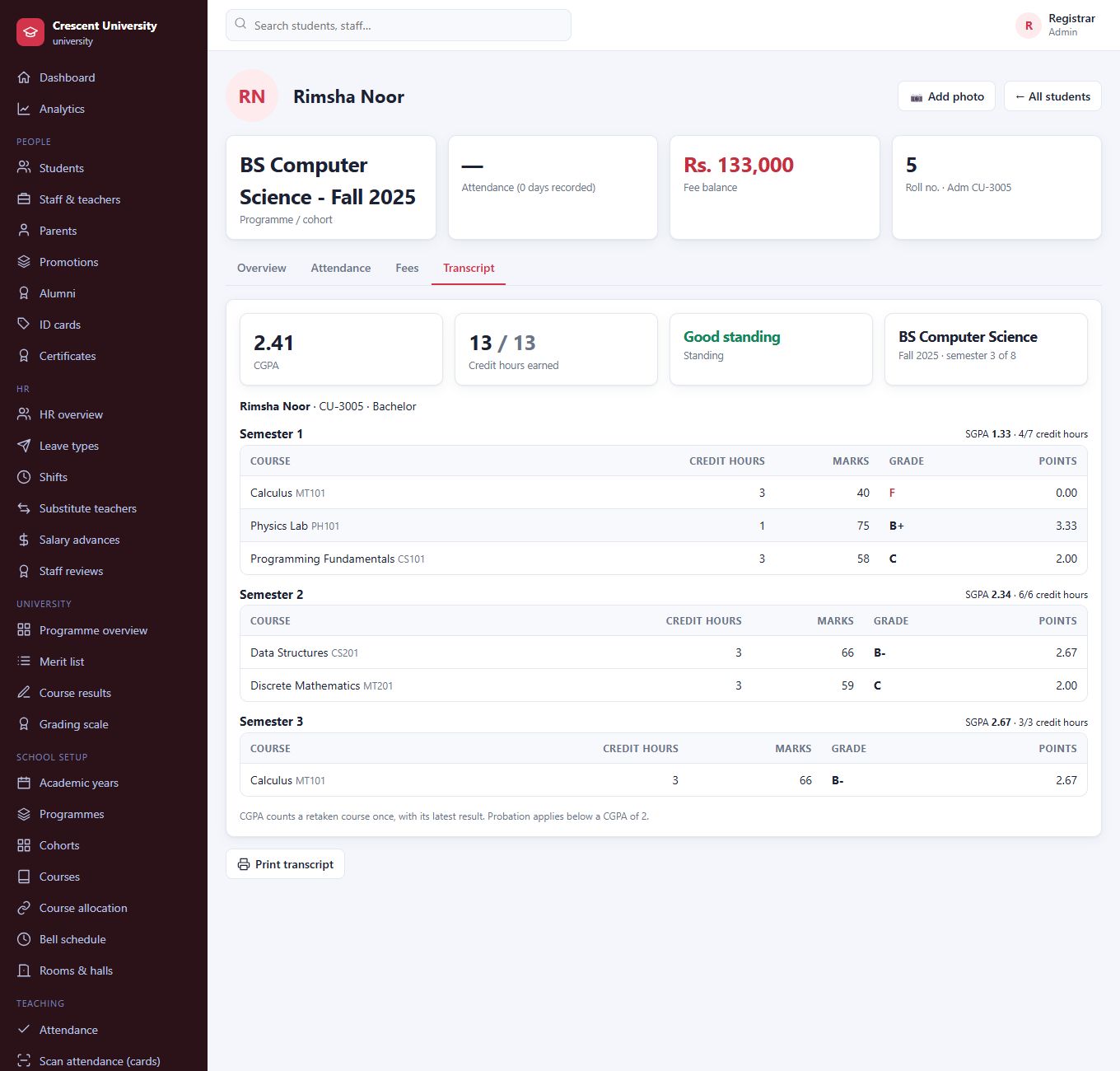
A transcript that writes itself.
Lecturers enter marks for the courses they teach, and see the grade as they type. The student's transcript shows each semester's courses, SGPA, credit hours earned and CGPA, with their standing.
- A lecturer can only enter results for their own courses
- Moving a cohort to the next semester warns about results still missing
- Students and parents see their own transcript in the app
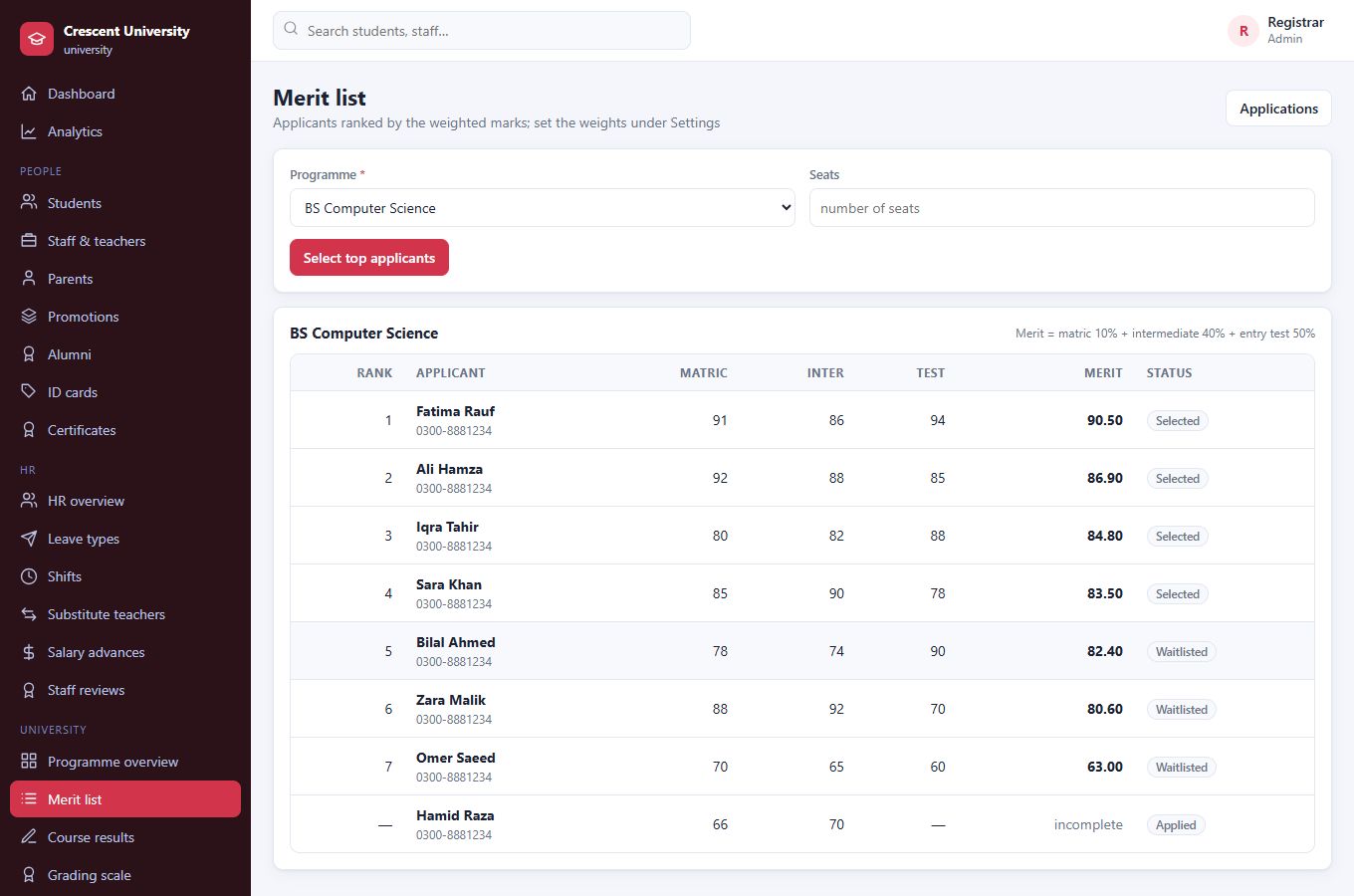
Merit lists and tuition per credit hour.
Applications carry matric, intermediate and entry-test marks. Taleem 360 ranks them by your weights and, with one click, marks the top applicants Selected and the rest Waitlisted. Tuition is the rate per credit hour for the programme times the credit hours of the courses the cohort takes that semester.
- Merit weights you set, incomplete applications kept out of the ranking
- Different credit-hour rate for each programme
- Scholarships and discounts apply as usual
- One invoice per semester, billed again safely
Students register for electives. Employers verify transcripts.
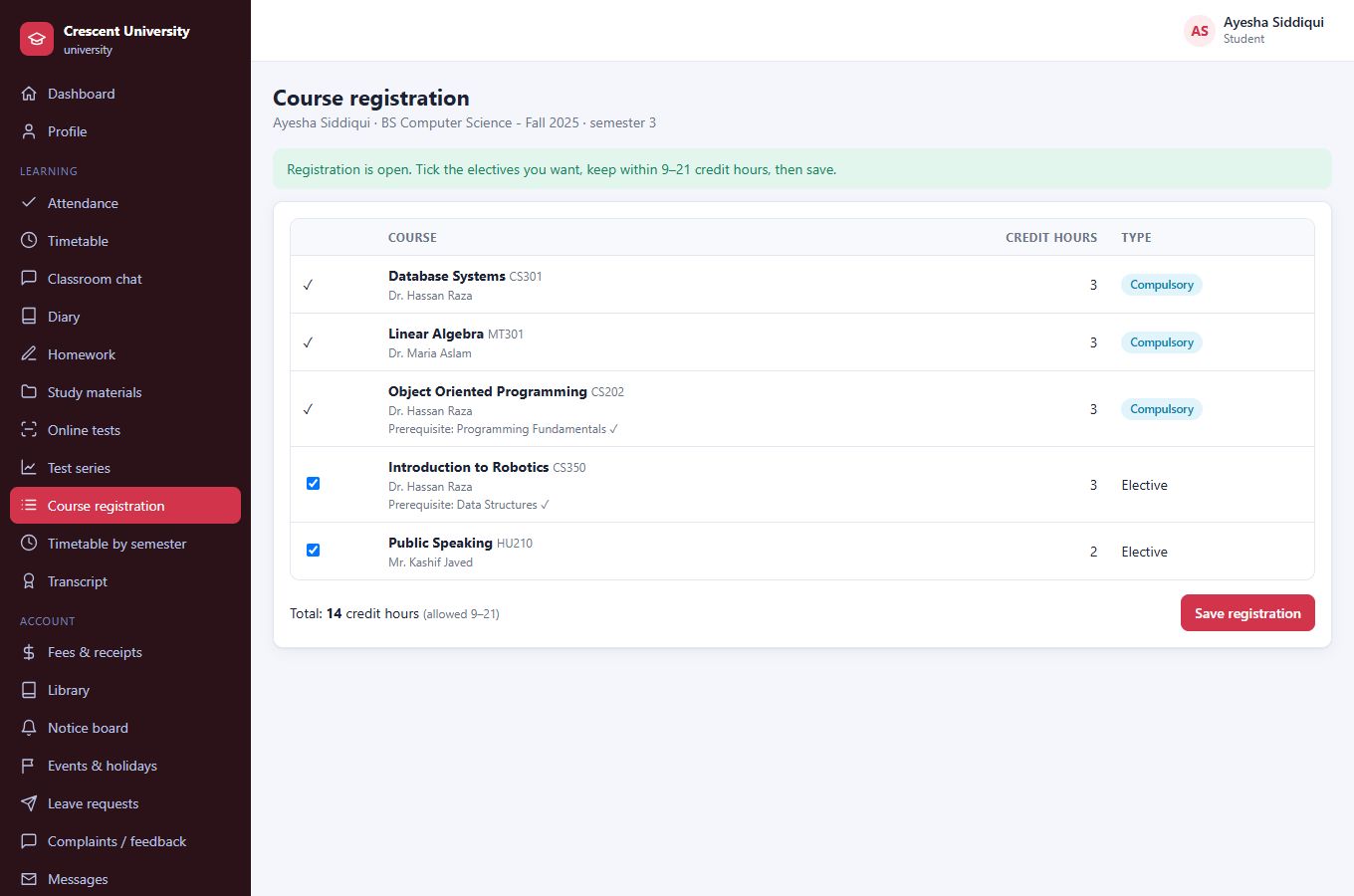
When the registrar opens registration for a cohort, students pick their electives on the web or in the app, within the seat limits and the credit-hour load you set. Tuition then counts only the courses they registered for.
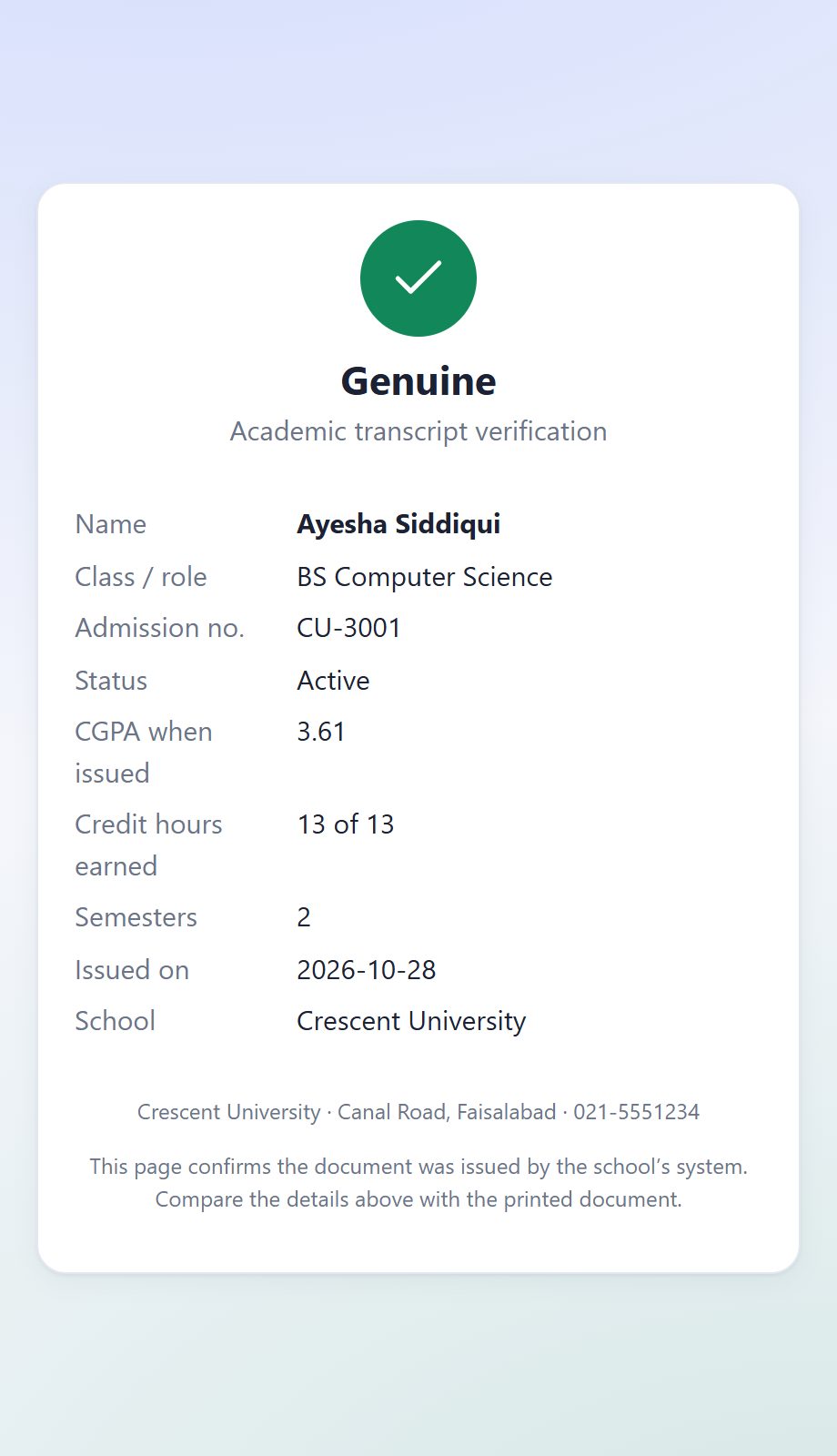
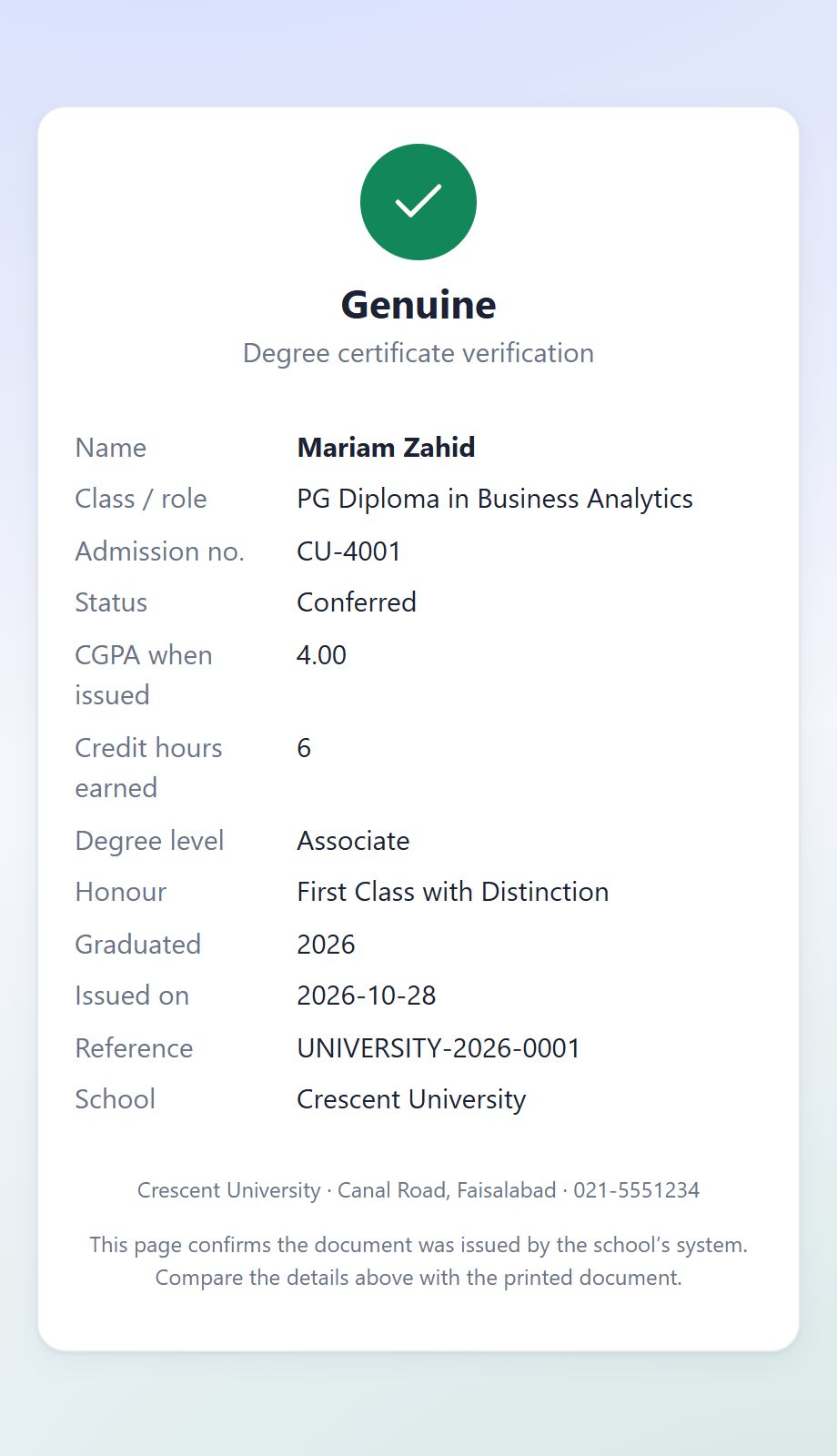
Every printed transcript carries a QR code. Scanning it shows the student, programme, CGPA and credit hours as issued, and warns if the results have changed since the transcript was printed. A forged or altered code is rejected.
- Seat limits per elective, minimum and maximum credit hours
- Open and close registration per cohort
- Elective results sheets list only the students who registered
- Public verification page, no sign-in needed
Courses in the right order, a timetable for each semester.
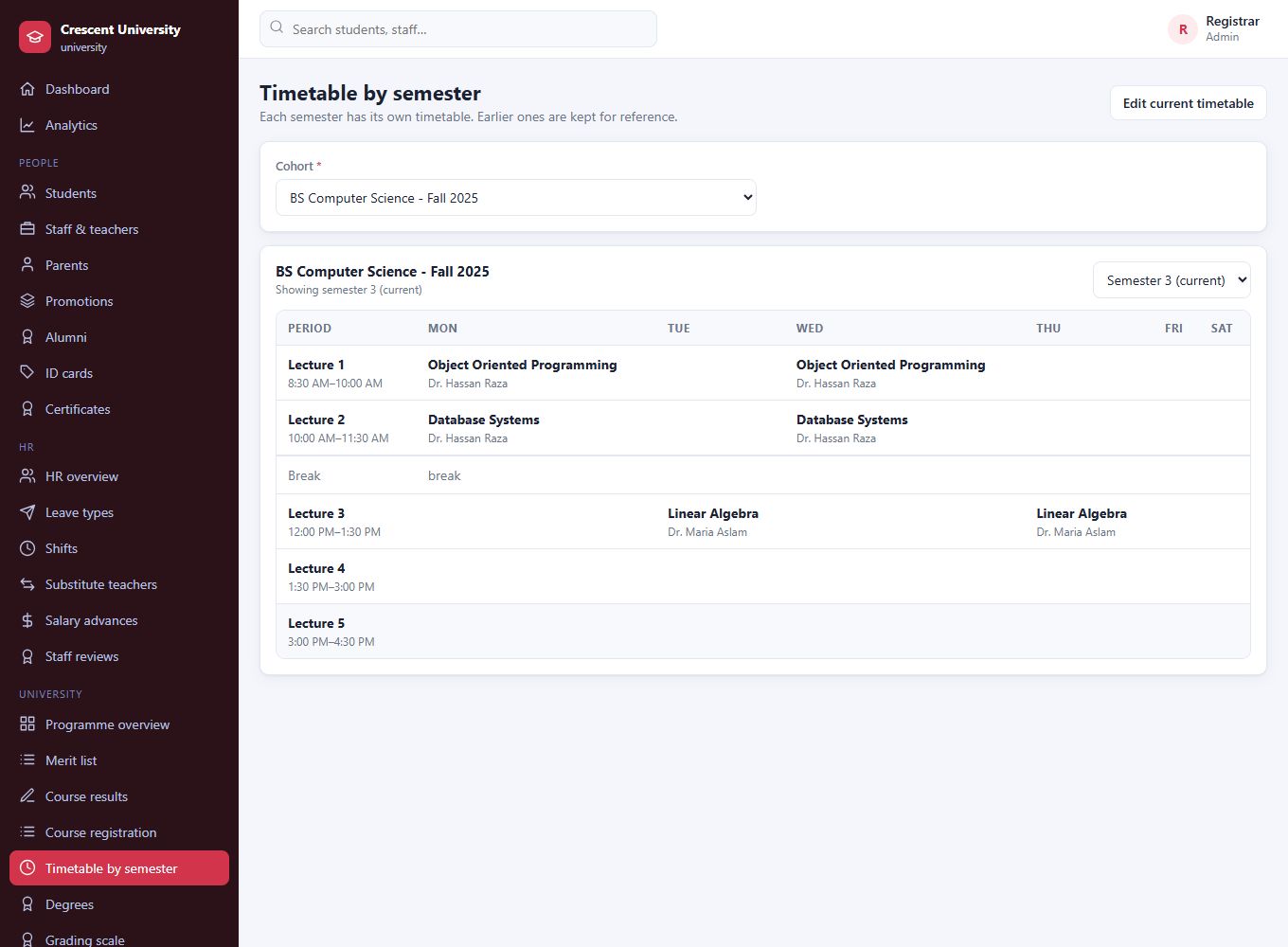
Mark a course as needing another one passed first. Students cannot register for an elective until they have passed its prerequisite, and they can see exactly what is missing. Each semester has its own timetable: when a cohort moves on, the finished timetable is archived and the new semester starts empty, or with a copy.
- Up to two prerequisites per course; the registrar can override
- Earlier semesters' timetables stay available, read only
- Students and lecturers see the timetable of any semester of their cohort
Degree certificates anyone can verify.
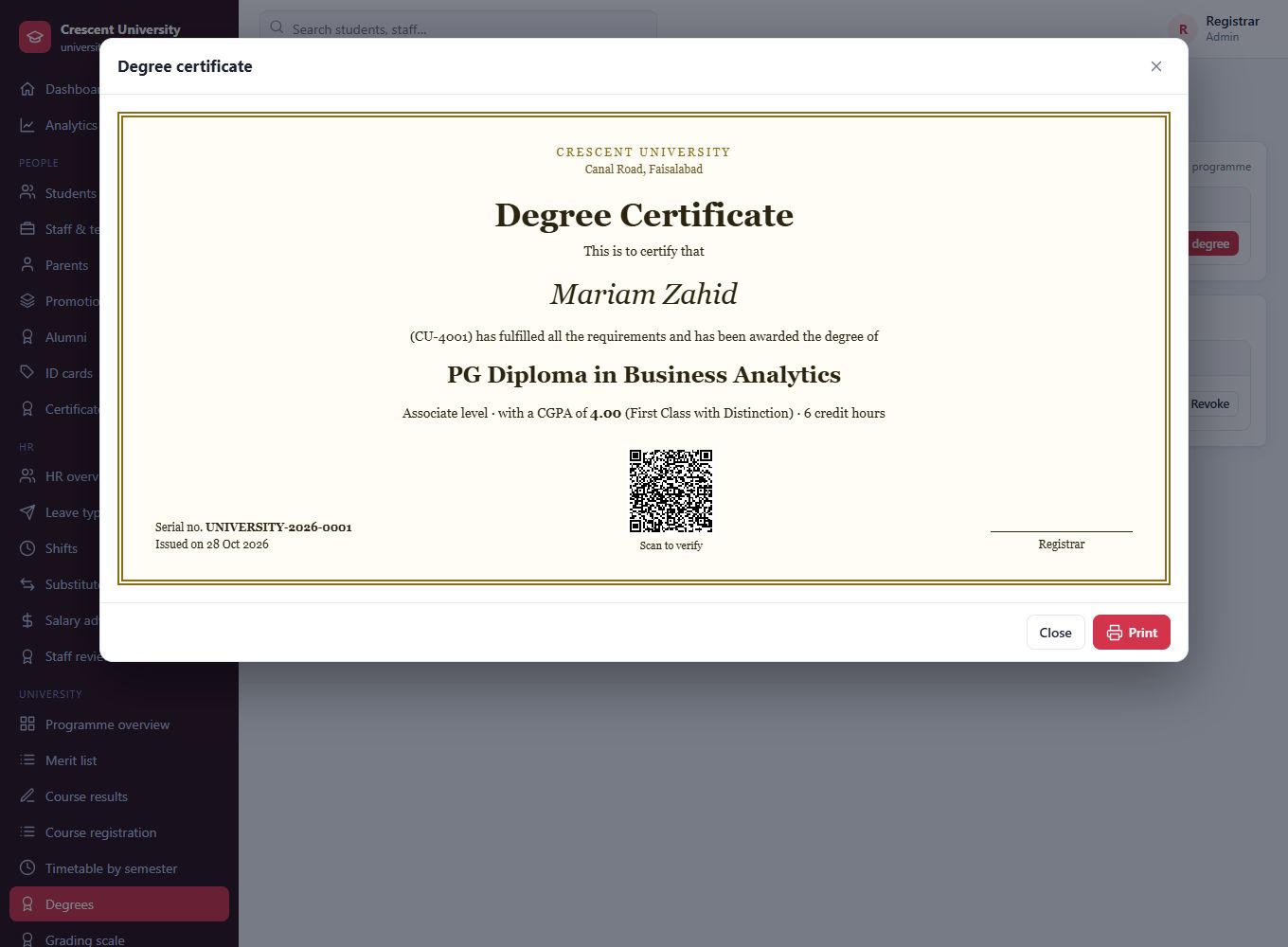
When a student has earned the credit hours their programme requires with a CGPA at or above the pass mark, the registrar issues a numbered degree. The certificate carries a QR code: scanning it confirms the degree, the CGPA and the honour awarded, and shows it as revoked if the university ever withdraws it.
- List of graduates ready to be awarded, with their honour class
- Serial numbers and printable certificates
- Graduates become alumni automatically
- Revocation with a reason, visible to anyone who scans
Everyone sees only what they need.
Eight roles, each with its own menu, permissions and dashboard. Nobody wades through screens that are not theirs.
Super admin: the platform owner
You create and control every school from one place.
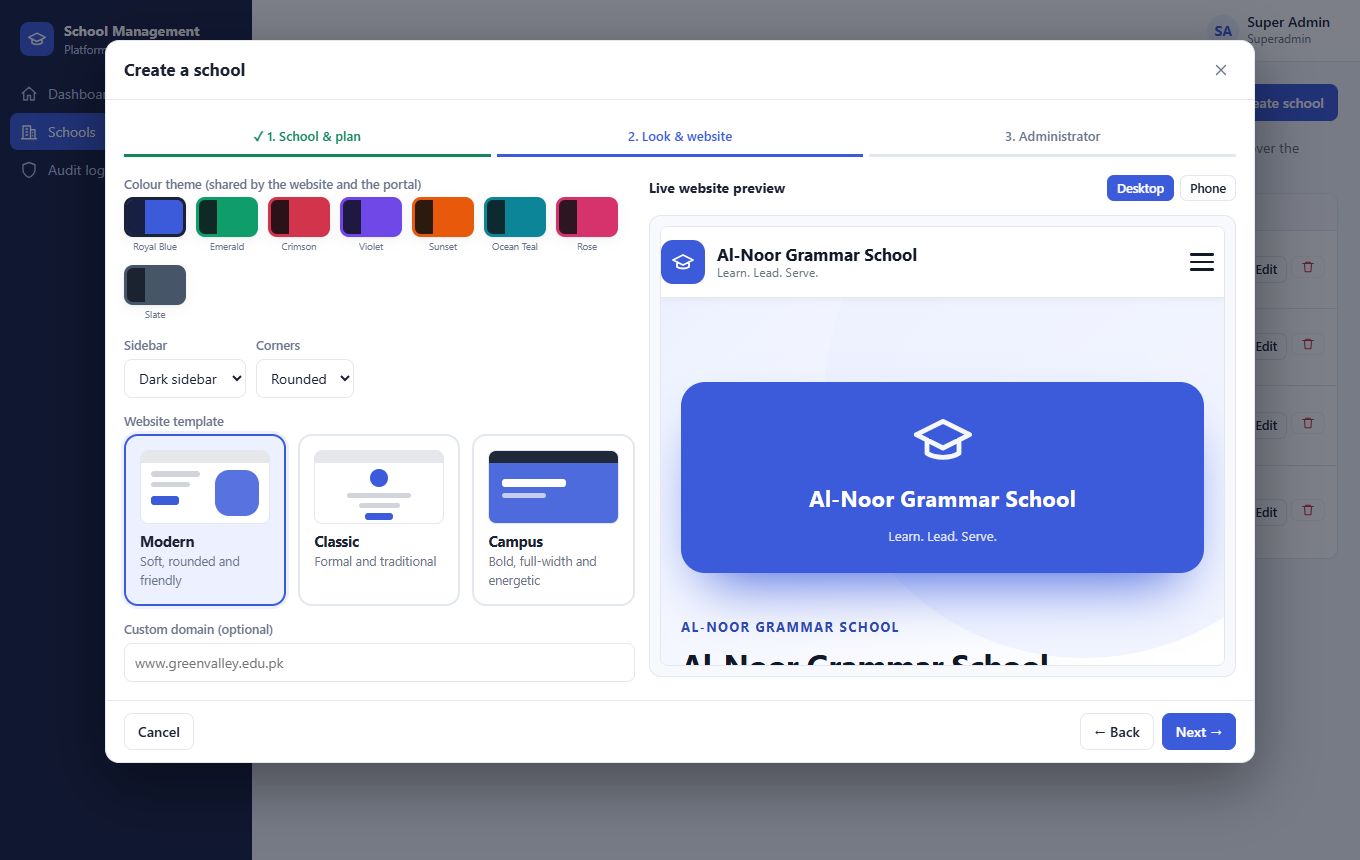
- Create a school in a guided three-step wizard
- Choose the type, the plan and the modules for each school
- Pick the colours and website design for each school
- Allow or disallow multiple branches
- Set subscription end date and student limit
- Create and reset school administrators
- Suspend a school instantly and review the audit log
School admin: the principal's office
Full control of one school, branch managers included.
- Classes from Play Group to HSSC and degree years, with quick setup
- A setup guide on the dashboard that says what to do next
- Students, staff, ID cards, certificates, promotions and alumni
- Timetable with automatic clash checking and substitutes
- Fees, payroll, bank, and HR with leave, shifts and documents
- Exams, results and report cards
- Analytics, website editor, news and admission enquiries
Teacher: the classroom
Everything a teacher touches in a day, on one screen.
- Today's lessons, cover duty and own timetable
- Mark attendance, or scan ID cards
- Enter marks; blind marking by exam number
- Question bank, online MCQ tests, OMR sheets and scanning
- Homework with worksheets, review of photo hand-ins, and the diary
- Classroom chat, leave with balances, payslips and own reviews
Accountant: the bank
Fee desk and books without a second spreadsheet.
- Collect fees, print receipts and vouchers
- Generate fees for a section, class or whole school
- Defaulters list and late fines
- Payroll with itemised deductions, and salary advances
- Bank accounts, ledger and transfers
- Income, expense and fee-collection reports
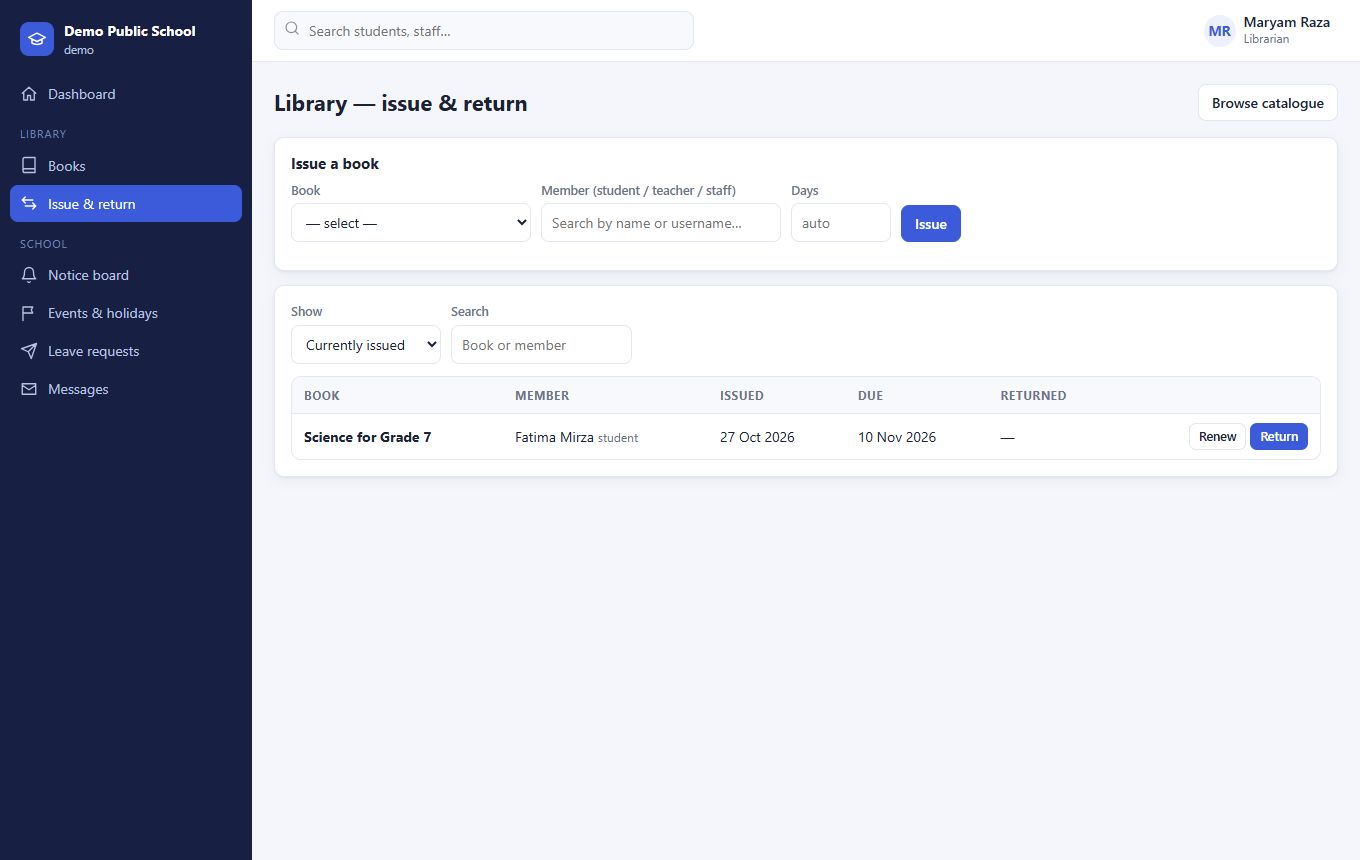
Librarian: the library
Books in, books out, fines handled.
- Book catalogue with copies and shelf
- Issue, renew and return in a click
- Automatic overdue fines
- Notices and leave requests
Front office: the reception desk
First point of contact, fully organised.
- Admission enquiries from the website, one click to admit
- Visitor log
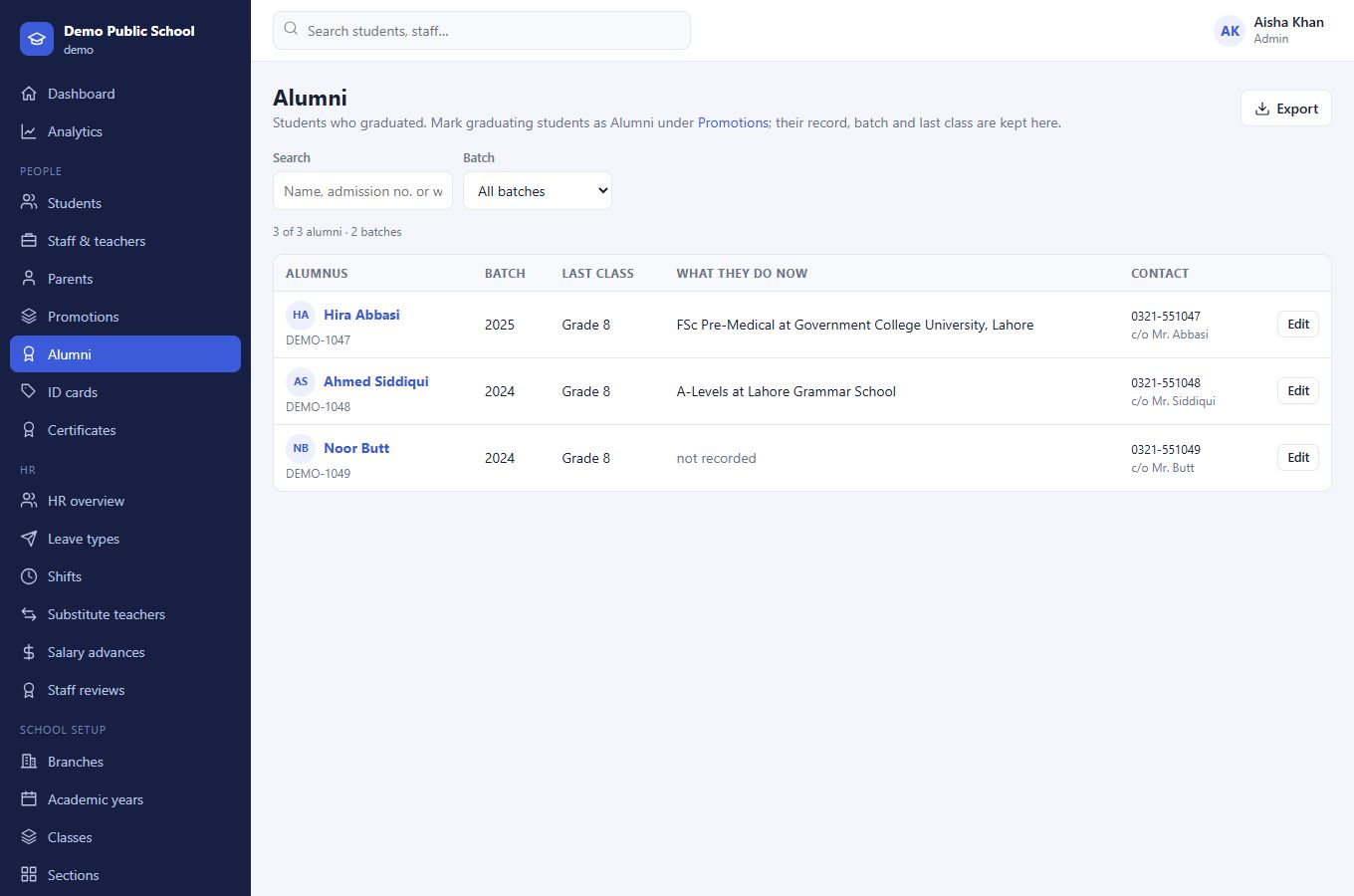
- ID cards, certificates and the alumni directory
- Inventory and class timetables
Student: learning, in their pocket
Everything a student needs, on a phone or a laptop.
- Attendance and timetable
- Results and report cards
- Online tests with a timer
- Homework with worksheets, and photo hand-in
- Diary, study materials, classroom chat, fees and library
Parent: always in the loop
One login for all children in the school.
- Switch between children
- Attendance, results, report cards with teacher comments
- The diary, signed with one tap
- Homework and worksheets, fee vouchers and receipts
- Notices, events and messages to teachers
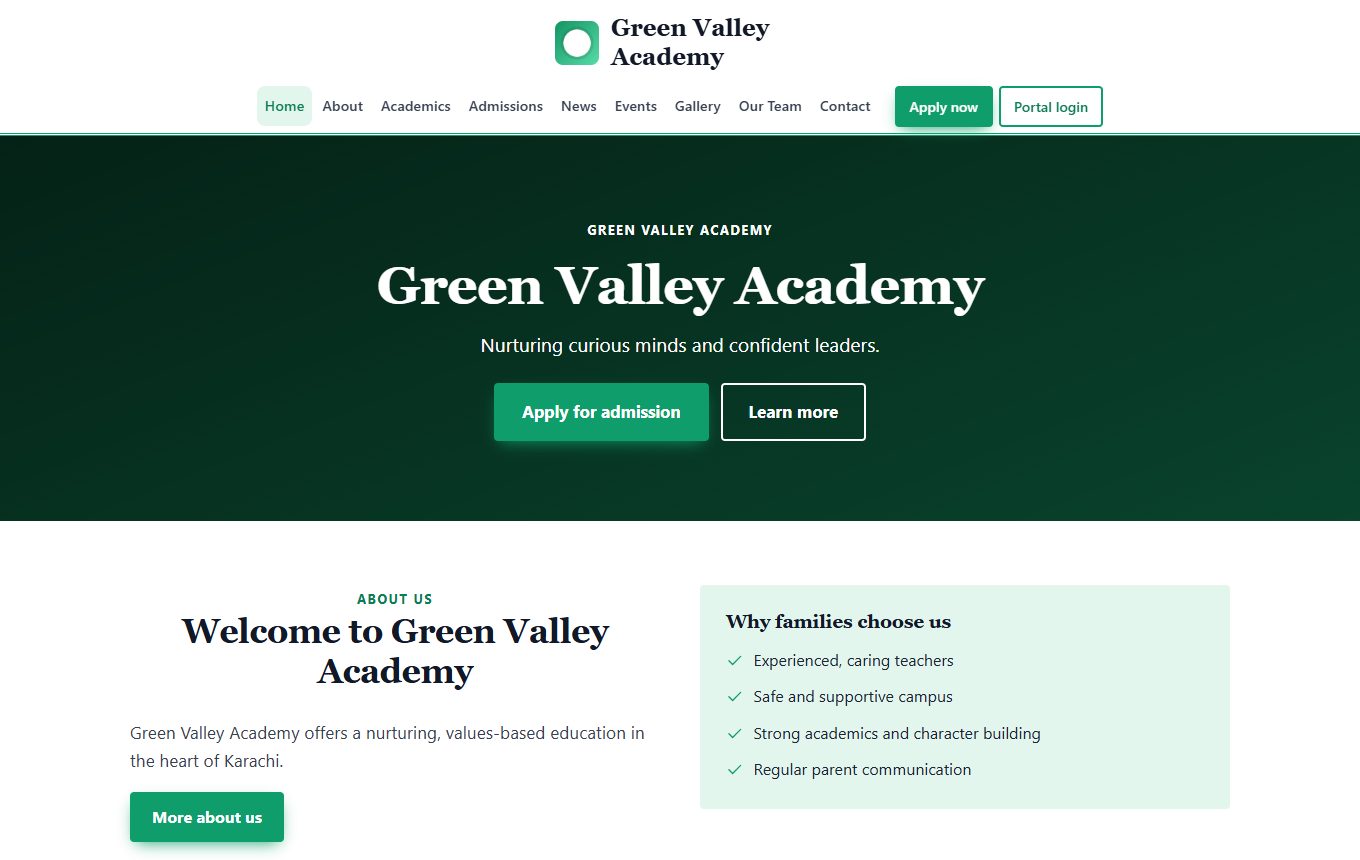
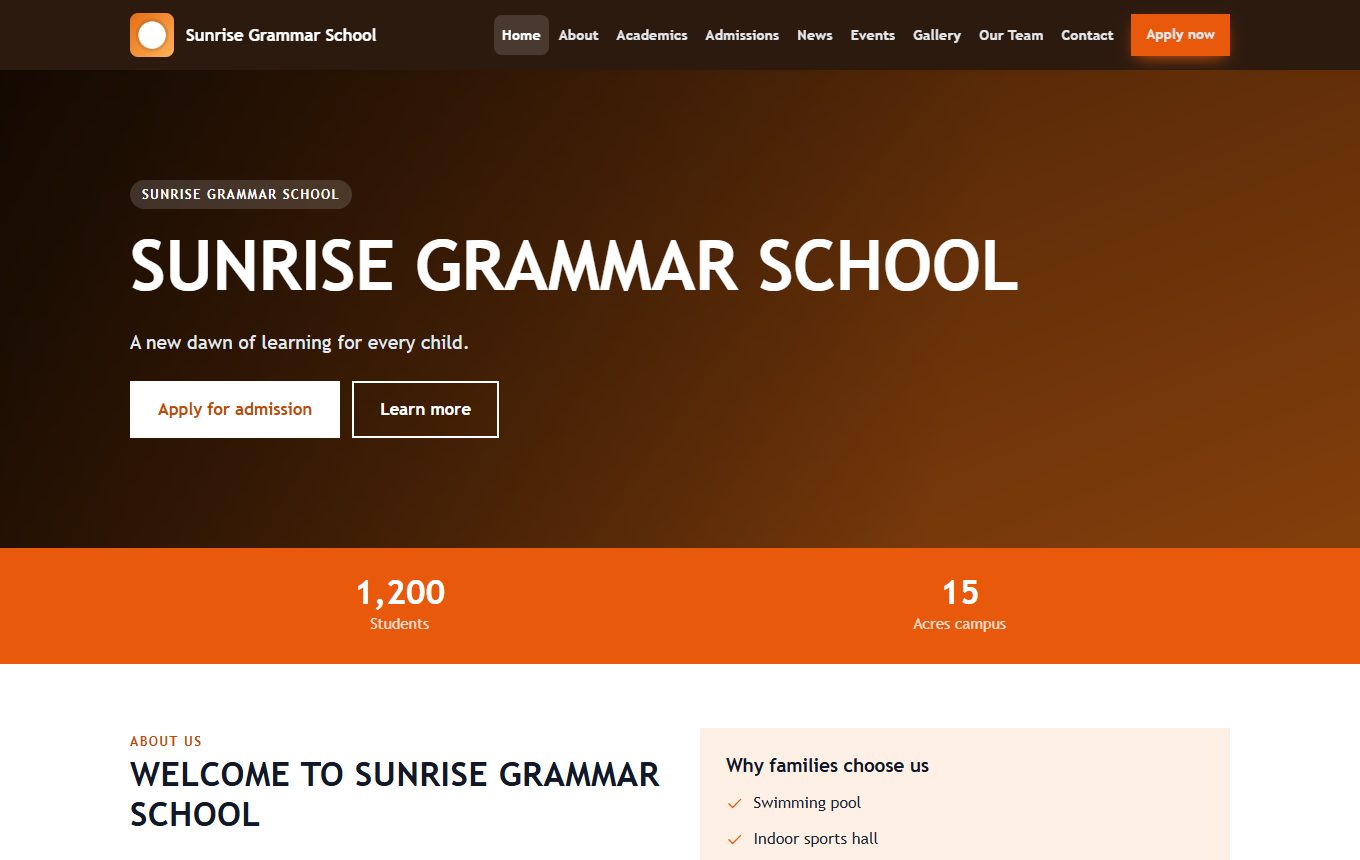
Create a school and its website is already live.
Choose a design while creating the school. The site is generated at once with an admission form, news, events, gallery, team and contact pages, and the school fills in the details later.
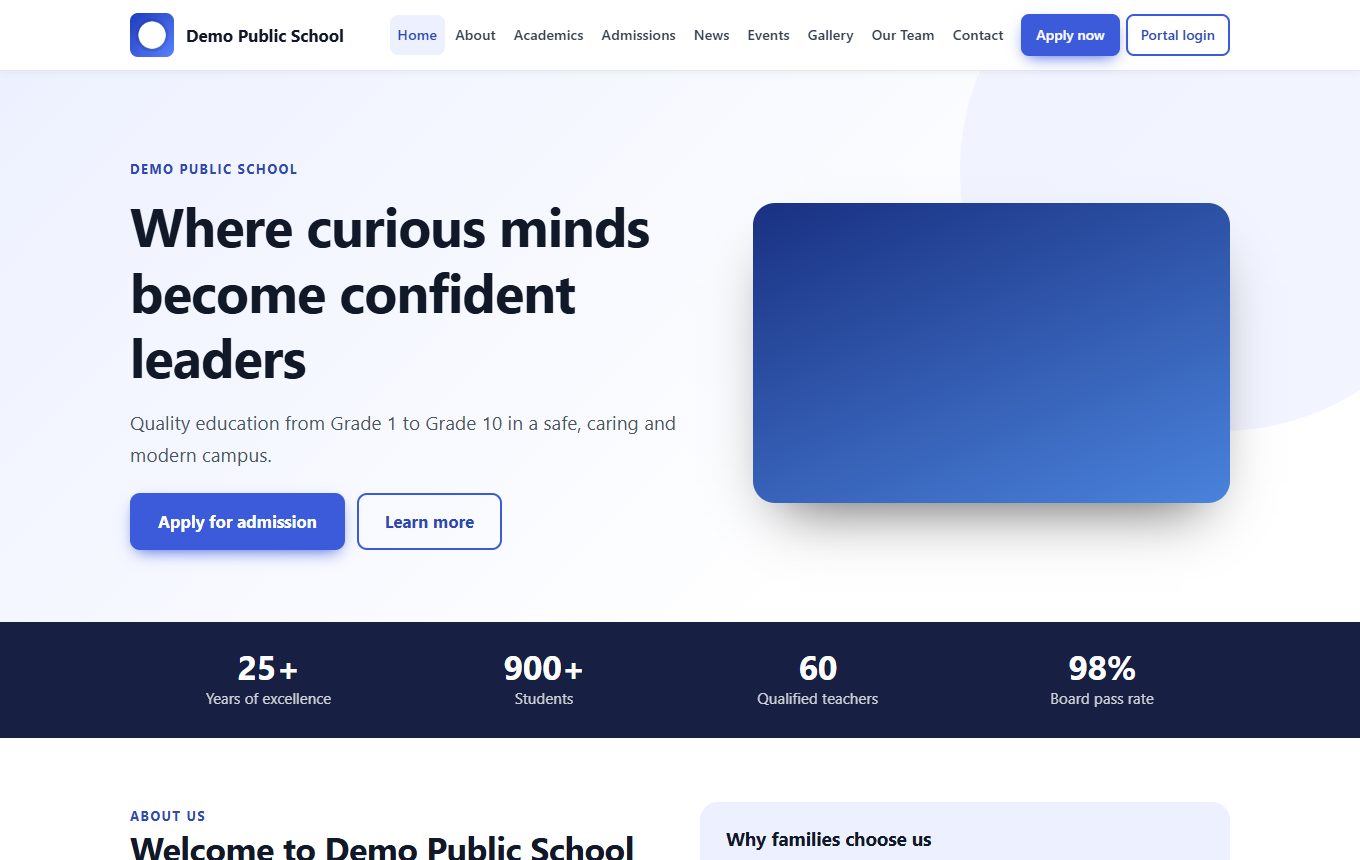
Website only
For schools that just need a professional online presence, with admissions enquiries flowing into one inbox.
- Public website with your own colours
- Admission form and news
- Custom domain support
Website + portal
The complete package: website, the management system and the mobile app, all in the same colours.
- Everything in both plans
- Enquiries become students in one click
- One look across web, portal and app
Portal only
For schools that already have a website and want the management system and the app.
- All roles and the modules you choose
- Mobile app for staff and families
- Your school's colours throughout
Teachers, students and parents live on their phones.
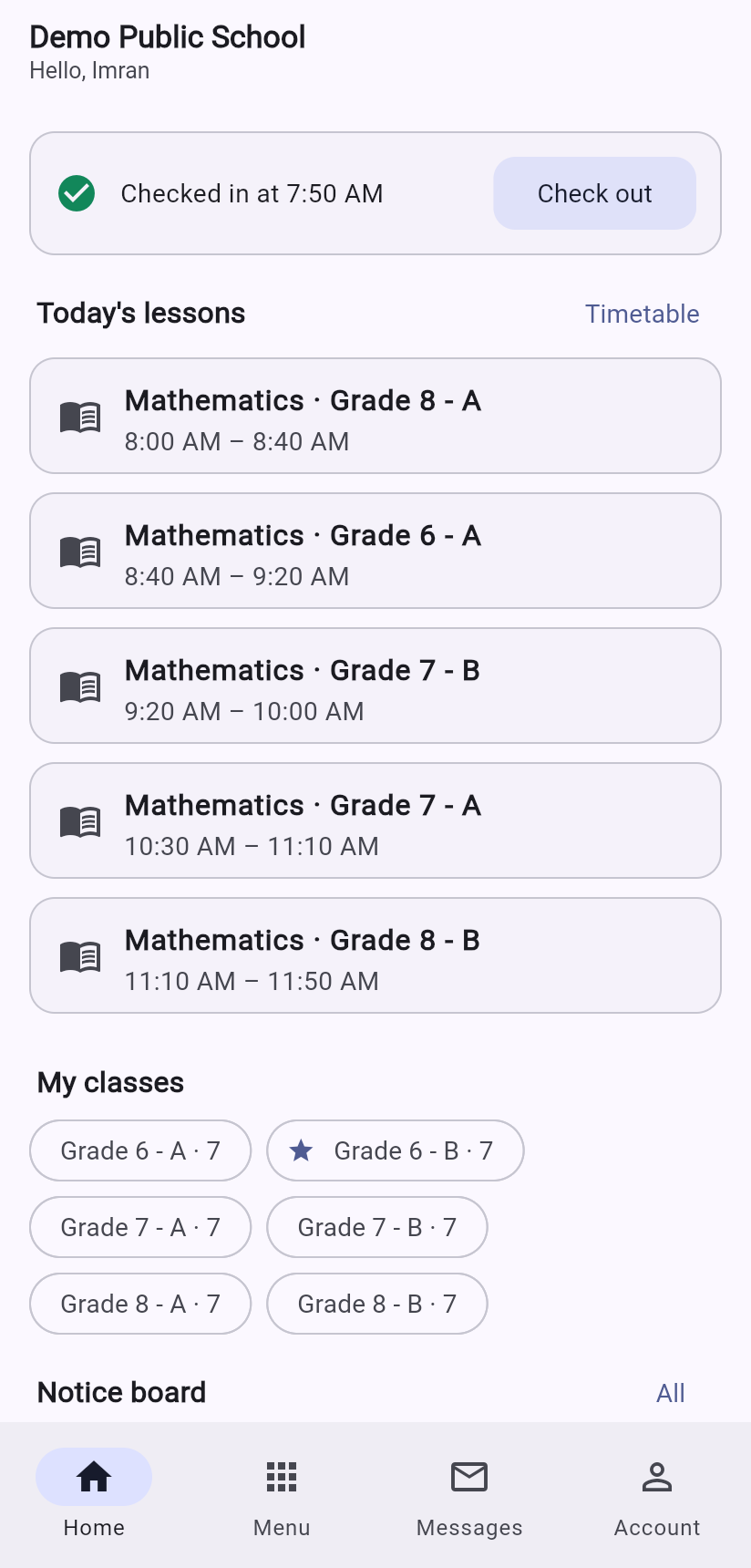
The Android app uses the same login. It takes attendance by scanning ID cards, photographs and grades OMR sheets, lets students hand in homework with the camera, shows the diary, fees and results, and carries your school's own colours.
It speaks the way your institution works.
Every class level
Play Group, Nursery, Prep and KG, Class or Grade 1 to 10, HSSC-I and II, and ADP, BA/BSc and BS years.
Rupees and local fees
Monthly, quarterly and yearly fees, admission and annual charges, transport and hostel, all in Rs.
1Bill-ready vouchers
Every fee voucher already carries a unique consumer number, so online bill payment can be switched on later.
Private by design
Each school's data is fully separated. Passwords are hashed, sessions can be revoked, uploaded files are checked, and every sensitive action is logged.
From signing up to your first class in a day.
We create your school
Pick your type, plan, modules, colours and website design. You receive an administrator login and your website goes live immediately.
Follow the setup guide
A checklist on the dashboard walks you through classes, sections, subjects, teachers, fees and students, in the right order.
Go live with everyone
Hand out logins and ID cards. Teachers mark attendance, parents see fees and results, and the office stops chasing paper.
Good questions we hear often.
Is it only for schools?
Today it covers schools, universities, colleges (including HSSC, ADP, BA/BSc and BS years) and coaching centres. Universities have their own structure of programmes, semesters, credit hours, GPA and transcripts rather than a stretched school system.
Can we pay only for the modules we use?
Yes. Students, attendance, timetable, homework, messaging and notices are always included. Fees, payroll and accounts, exams, online tests and OMR, HR, library, transport and hostel are optional and chosen per school. A module that is switched off disappears from the menus and the app, and the server refuses it too.
Does it work on phones?
Yes. The web version adapts to any screen, and there is a dedicated Android app for teachers, students and parents.
Can one account manage several branches?
Yes. Branches can be switched on per school. Branch managers see only their own branch, while the head office sees everything. Single-campus schools simply never see branch screens.
How does the OMR scanning work?
You print each student's personal sheet. After the test you photograph the sheets with the app or any camera, and the system reads the bubbles, identifies the student from the printed code and grades the paper. Tilted, shadowed and upside-down photos are handled.
Can students hand in homework from their phone?
Yes. They photograph their work or attach a document, the teacher reviews it with marks and feedback, and can send it back to be redone. Parents also see the diary and sign it from the app.
Can we give discounts to needy students?
Yes. Each student can have a percentage and/or fixed discount with a recorded reason, or a custom fee that replaces the class fee. It applies automatically to every invoice created afterwards.
Does salary reflect attendance and leave?
Yes, when the HR module is on. Absences no approved leave covers, unpaid leave, repeated late arrivals (by your own rule) and salary-advance instalments are deducted automatically, and the payslip lists each reason.
Can parents pay online?
Fees are recorded manually today (cash, bank, cheque). Every voucher already has a consumer number so that 1Bill or a bank can be connected later.
Do we get a website too?
If your plan includes it, yes. It is generated the moment your school is created, in one of three designs, and you edit text, photos and news from the dashboard.
Is our data safe?
Every school's data is isolated, passwords are stored hashed, roles limit what each person can see, first logins force a new password, uploaded files are checked and kept private, and an audit log records sensitive actions.
See Taleem 360 running on your school's own structure.
Tell us a little about your school or college and we will arrange a walkthrough, with your classes and fee structure set up in the demo.